

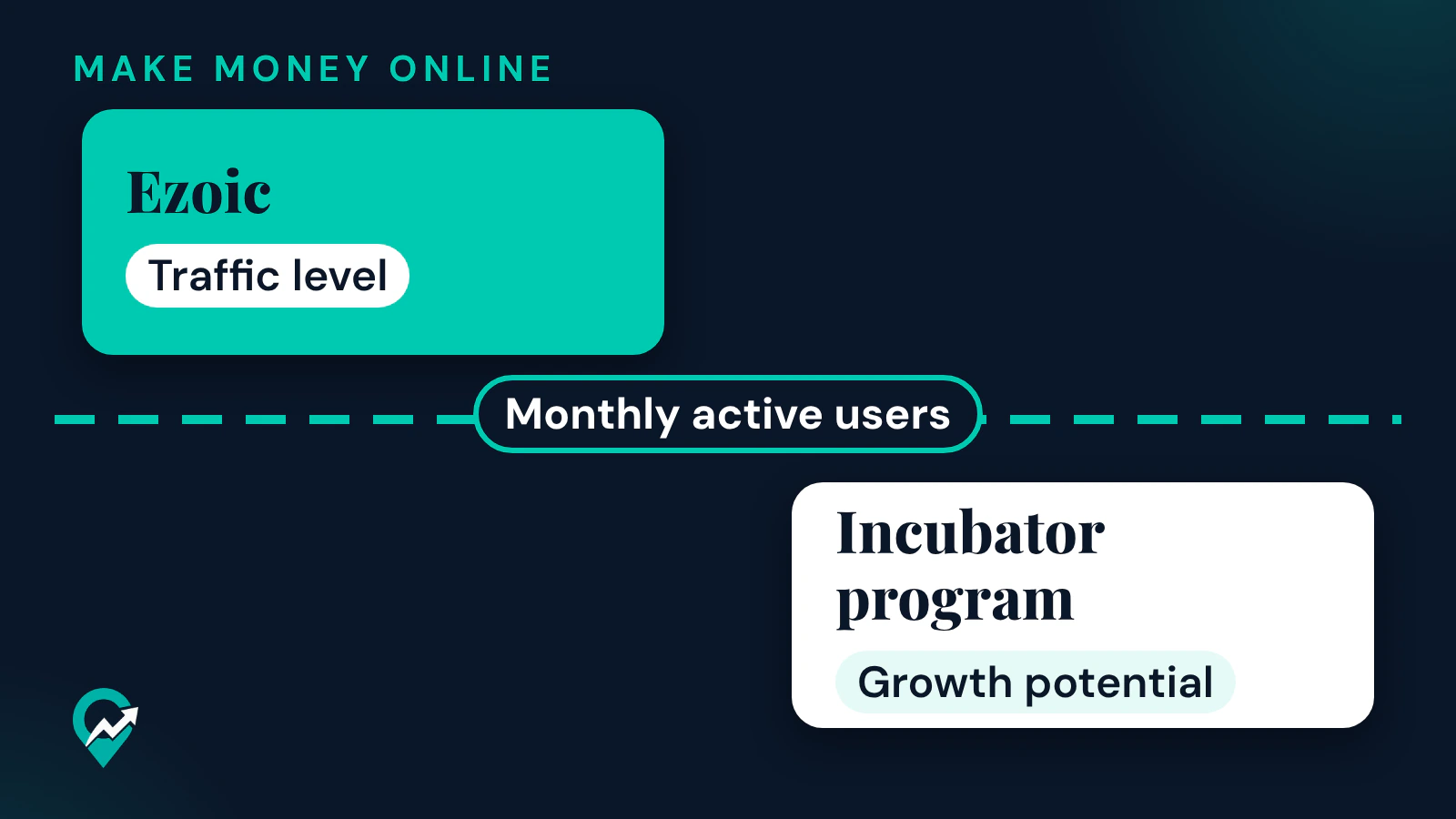
Ezoic ties its current traffic rule to a date, 19 February 2026, so an article written before that date may describe a rule that no longer applies. This guide reads Ezoic’s own support pages as they stand on 3 November 2026, explains what each requirement means, shows how to check your numbers and covers what to do if your site is below the level. It is one part of our guide to where Ezoic sits among ad networks (opens in a new tab), where Ezoic sits next to the other options.
Ezoic’s requirements as its support pages list them
Three Ezoic support articles cover entry: the requirements article, the Incubator article and the compliance article. Each shows only a relative date, such as “last updated over a month ago”, so this guide gives the day it last read them, 3 November 2026.
| What | What Ezoic’s page says | Page date |
|---|---|---|
| Traffic | Sites are generally required to have 250,000 or more monthly active users. Traffic can be verified by connecting a Google Analytics account during the application. | Requirements article, updated over a month ago |
| Publishers who joined earlier | Publishers monetizing with Ezoic before 19 February 2026 are grandfathered regardless of site size, as long as they keep using Ezoic continuously. | Requirements article, updated over a month ago |
| Sites added later | Any site added to an existing account after 19 February 2026 must meet the traffic level. | Requirements article, updated over a month ago |
| Content | Original content, written in a language AdSense supports, that complies with Google’s policies. | Requirements article, updated over a month ago |
| Type of site | Any type of site, as long as it can include JavaScript in its code. | Requirements article, updated over a month ago |
| Below the level | Sites below 250,000 monthly active users may be eligible for the Incubator program. | Incubator article, updated over a week ago |
| Review time | Ezoic’s internal review typically concludes within 10 days, and the Google review can take up to 18 days. | Compliance article, updated a few days ago |
What each requirement means
Monthly active users
Ezoic’s article does not define the term or the period it covers. Google Analytics, which Ezoic names as the way to verify traffic, has an Active users metric. Google defines it as the number of distinct users who visited your website or application, where an active user is any user with an engaged session or for whom Analytics collects certain events such as the first visit. Google’s DAU / MAU metric describes monthly active users as the users who engaged in the last 30 days. A 30-day Active users figure is therefore one way to check, but ask Ezoic if your number is near the line.
Active users is not the same as sessions or pageviews. One user can start several sessions in a month, and one session can include several page views, so a site with many sessions can still have fewer users than its session count suggests.
Grandfathered status and the 7-day rule
Ezoic says publishers monetizing with it before 19 February 2026 stay on the platform regardless of site size, provided they keep using Ezoic without a break. If a grandfathered site with fewer than 250,000 monthly active users removes the Ezoic integration for more than 7 days, the status is void and the site must then meet the 250,000 level to return. For a blog that is not on Ezoic yet, the practical point is simple: the exception applies to earlier users, and a new site meets the traffic level or goes through Incubator.
Google policy compliance and content
Ezoic’s requirements article lists the Google policies a site must follow. The list covers invalid ad activity, encouraging readers to interact with ads, copyrighted or counterfeit material, redirects to unwanted pages, pop-ups, automatically generated content, empty pages, copied content and keyword stuffing. It also names restricted content types, including adult, dangerous, derogatory, aggressive and illegal content, gambling, and alcohol, tobacco or healthcare related content. Read the item on automatically generated content against how you produce your own posts.
What the review checks beyond traffic
The compliance article describes what Ezoic’s Platform Quality team looks at. These conditions come from that page, read again on 3 November 2026:
- Technical setup. Connection by JavaScript is the recommended method, and a WordPress plugin can automate it. Your ads.txt file must include Ezoic’s reseller information, and you must remove all non-Ezoic ad code.
- Google approval. Every publisher must apply for and receive approval from Google’s Multiple Customer Management program to reach premium inventory.
- Policies and contact. A privacy policy reachable from every page, the Ezoic privacy disclosure in that policy, one consent management tool only, and a contact page with a working email address or form.
- Trust signals. A descriptive About page, clear author bylines and one consistent language across the site.
- Structure. Clear category labels in the navigation, a minimum of 10 articles per category for article-based sites, and a sidebar widget with an About summary and recommended content.
- Content. Original content, no more than 5 near-duplicate pages per category, published dates on articles and original images and videos, with no asset reused across articles.
The Ezoic Incubator program for sites below the level
Ezoic describes Incubator as an opportunity for publishers below the 250,000 level. It accepts only 20 publishers per month, chosen on growth potential, site valuation, backend quality checks and the overall publisher profile. Ezoic says applying does not guarantee acceptance. An accepted publisher gets complete access to Ezoic’s tools, features and monetization.
The page gives these conditions:
- One application per site. If a site is not accepted, you cannot reapply with the same site, but you can apply with a different one.
- A current Ezoic publisher whose secondary site falls below the level can apply that site to Incubator.
- Ezoic says who should apply: publishers below the level, with a strong growth trajectory, high-quality content and engagement, and a commitment to growing their business.
Ezoic’s article describes the application in these steps:
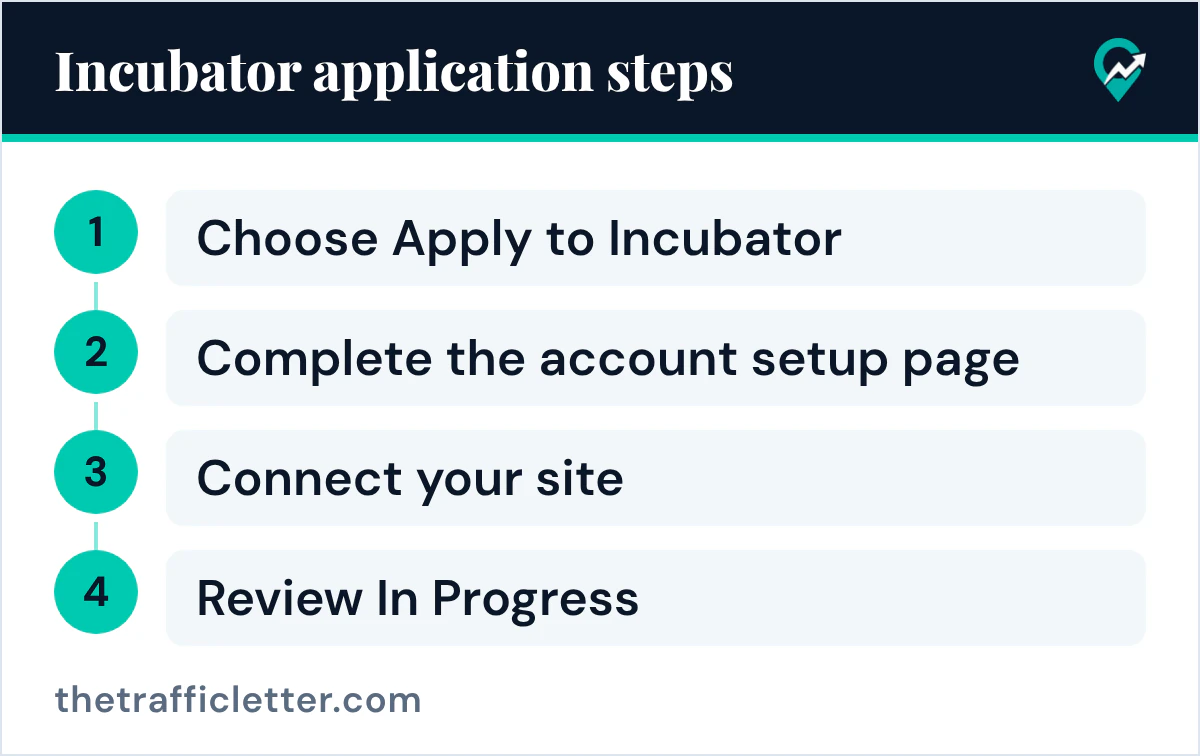
- On the screen titled “Thanks for your interest in Ezoic”, choose Apply to Incubator.
- Complete the account setup page: your full name, a password, your Ad Manager account status and your AdSense account status, plus Multiple Customer Management details if required.
- On the Connect Your Site page, choose JavaScript (the recommended method) or the WordPress plugin, and follow the instructions.
- Once Ezoic detects the integration, the dashboard changes to Review In Progress. The review covers traffic analysis, growth potential and quality standards, and Ezoic shares updates in the dashboard and by email.
How to check your numbers in Google Analytics
Ezoic’s pages do not give a report path, so this uses Google’s own labels.
- Go to your Google Analytics property and select the Reports tab.
- Set the date range to the last 30 days.
- In an exploration, use the Active users metric. Google lists it among its user metrics.
- Note Sessions beside it, to see the gap between users and visits.
- Repeat for two or three other 30-day windows.
Google’s help says session and user metrics are calculated through an estimation, so two reports can differ slightly. Use one report consistently, and read the number again on the day you apply, because it moves daily.
If your site is below the level
Start with the Incubator program, which is the route Ezoic describes for sites below 250,000. Because it takes 20 publishers per month, treat it as one option and not a plan.
Google AdSense is another route. Its eligibility page, read again on 3 November 2026, lists no traffic minimum. It asks for high-quality, original content that attracts an audience, access to the HTML source code of the site, content that follows the AdSense Program policies and an applicant aged 18 or over. Google also advises checking that your pages have clear navigation and unique content before you sign up.
Two other programs have their own guides: Raptive’s eligibility rules (opens in a new tab) and Journey by Mediavine (opens in a new tab). If you are below every test, the work is traffic. Our guide to a Pinterest traffic plan for blogs (opens in a new tab) covers one traffic source.
What Ezoic’s pages do not tell you
The three articles read do not state revenue share, payment terms or earnings, so this guide does not quote any. It is not a review of results, and it makes no claim about what Ezoic pays. Revenue per thousand visits is a separate topic that depends on your own traffic, and our guide to measuring RPM from your own traffic (opens in a new tab) shows how to measure it.
Right after: your next actions
- In Google Analytics, write down your Active users for the last 30 days and compare the number with 250,000.
- Check the review list above against your site, starting with other ad code, the privacy policy on every page and the contact page.
- If you are below the level, read the Incubator conditions again and compare the other options in the every network’s entry test side by side (opens in a new tab).