

Several ways of earning with Pinterest are described on Pinterest’s own creator pages. Others are common practice that Pinterest neither describes nor forbids. This guide keeps the two apart, so you can see what you can check and what you are taking on trust. It points to two deeper guides: Pinterest affiliate marketing for beginners (opens in a new tab) for the strategy and Pinterest affiliate links (opens in a new tab) for the rules around the links themselves.
What does Pinterest say about making money?
Pinterest has a creator page called “How to grow your audience and make money on Pinterest”. It covers links to your website, affiliate links, brand partnerships and shopping tools such as product tagging and shops. It also states that Pinterest does not facilitate payment for monetization programs such as product tagging, affiliate links or brand partnerships. You organize payment terms and logistics directly with your brand or affiliate partners.
That sentence shapes everything below. Pinterest is the place where your content is published and found. The money, if there is any, comes from the other side: a merchant, a brand, a customer or the site your Pins send people to.
It also explains why this guide contains no earnings figure. The pages read for it give none, and a number from a third party would not tell you what your own account would earn.
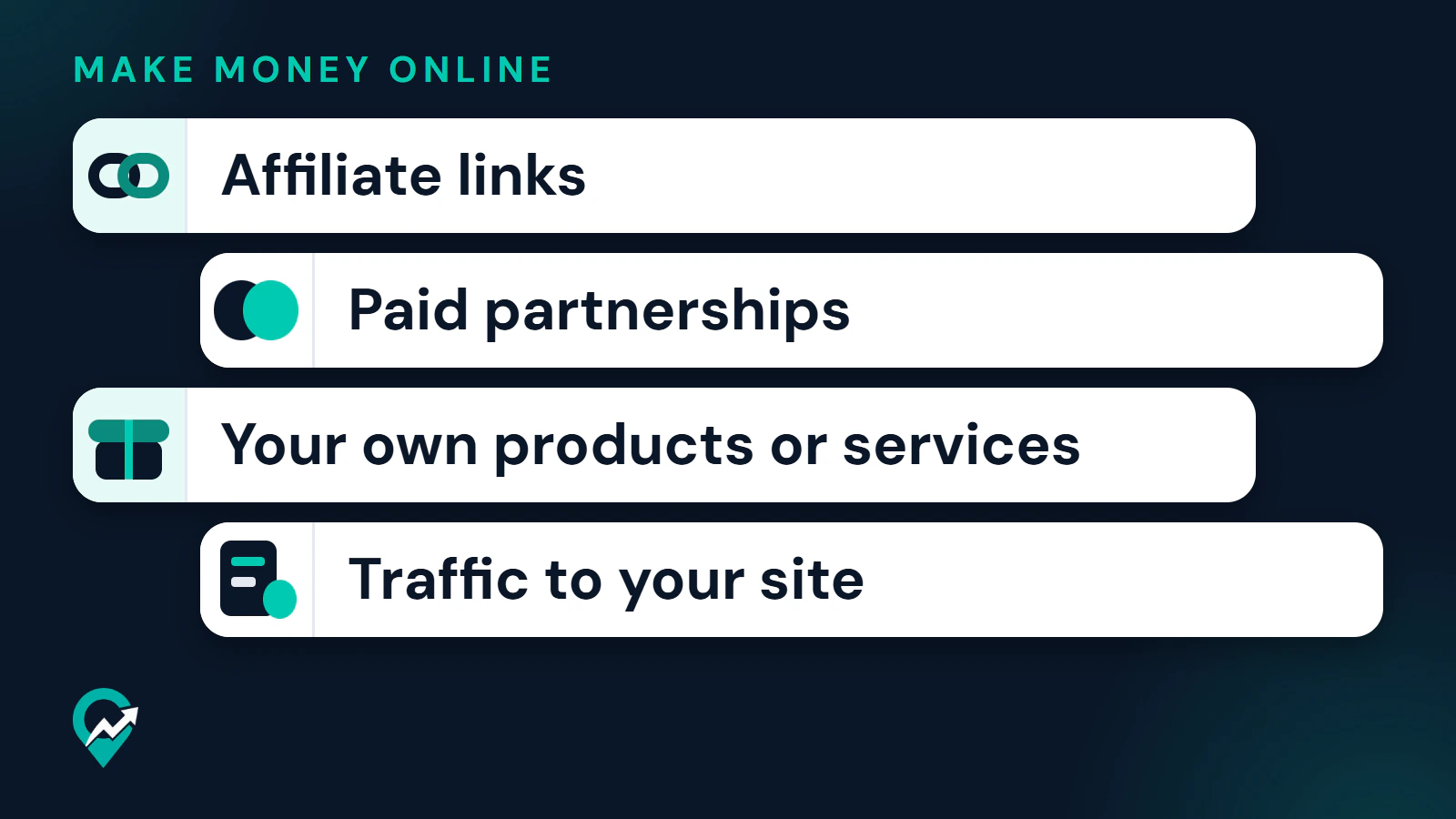
The four routes at a glance
| Route | What Pinterest documents | Conditions | What Pinterest does not do |
|---|---|---|---|
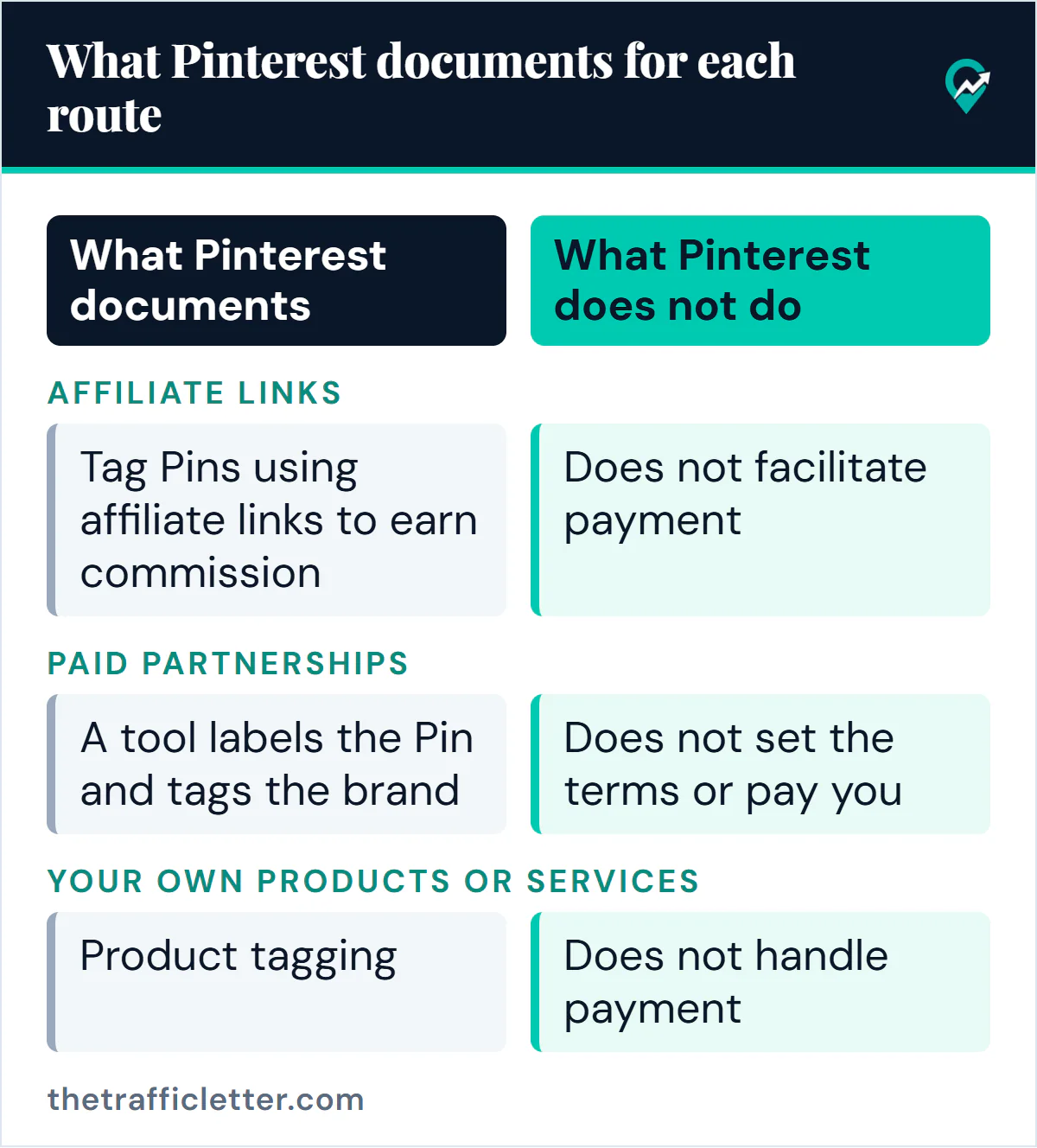
| Affiliate links | You can tag Pins using affiliate links to earn commission when people click through and shop | Join an affiliate program first. Follow Pinterest’s affiliate guidelines. Availability of the tag has varied by country | Is not part of the affiliate agreements and does not facilitate payment |
| Paid partnerships | A tool labels the Pin and tags the brand. The brand can promote the Pin as an Idea ad | A free business profile. The brand approves the tag. The deal is agreed outside Pinterest | Does not set the terms or pay you |
| Your own products or services | Product tagging, shopping recommendations and shops are named as ways to make content shoppable | The product tagging help page starts its desktop steps from a business account | Does not handle payment for programs such as product tagging |
| Traffic to your site | A Pin can link to your website, and outbound clicks are a Pin stat | The destination must be original and useful to people | Does not describe how your site earns |
How do affiliate links work on Pinterest?
An affiliate link is a link that records a visit you sent to a merchant, so the merchant can pay you a commission if that visit ends in a purchase. Pinterest’s creator page says you can tag Pins using affiliate links to earn commission when people click through and shop. It adds that you must first join an affiliate program, and that Pinterest is not part of the affiliate agreements, so your commission depends on the terms you set up with the merchant or program.
Pinterest also publishes affiliate guidelines inside its Commercial and Branded Content Guidelines. They ask that affiliate content be original and add unique value for Pinners, that you be transparent about the commercial nature of your content and your links, and that you use affiliate links in moderation rather than creating affiliate Pins repetitively or in large volumes. Whether the method is worth it for your account is a separate question, answered in does affiliate marketing on Pinterest work (opens in a new tab).
Availability is the part to check yourself. A Pinterest newsroom post dated 11 May 2023 described product tagging with affiliate links as available in the US and the UK. The current help page on tagging products, read for this guide, describes tagging products without mentioning affiliate links. Treat availability as something that has varied by country and look at your own account.
How do paid partnerships with brands work?
A paid partnership is a relationship in which a creator makes content with a brand they have a material connection with, to promote the brand or its products. Pinterest’s help pages say these partnerships are set up by the creator and the brand outside Pinterest. Its creator page lists five common kinds of brand deals: paid partnership, product-only or service-only, user-generated content, giveaways, and trips, events or speaking engagements.
The documented mechanics:
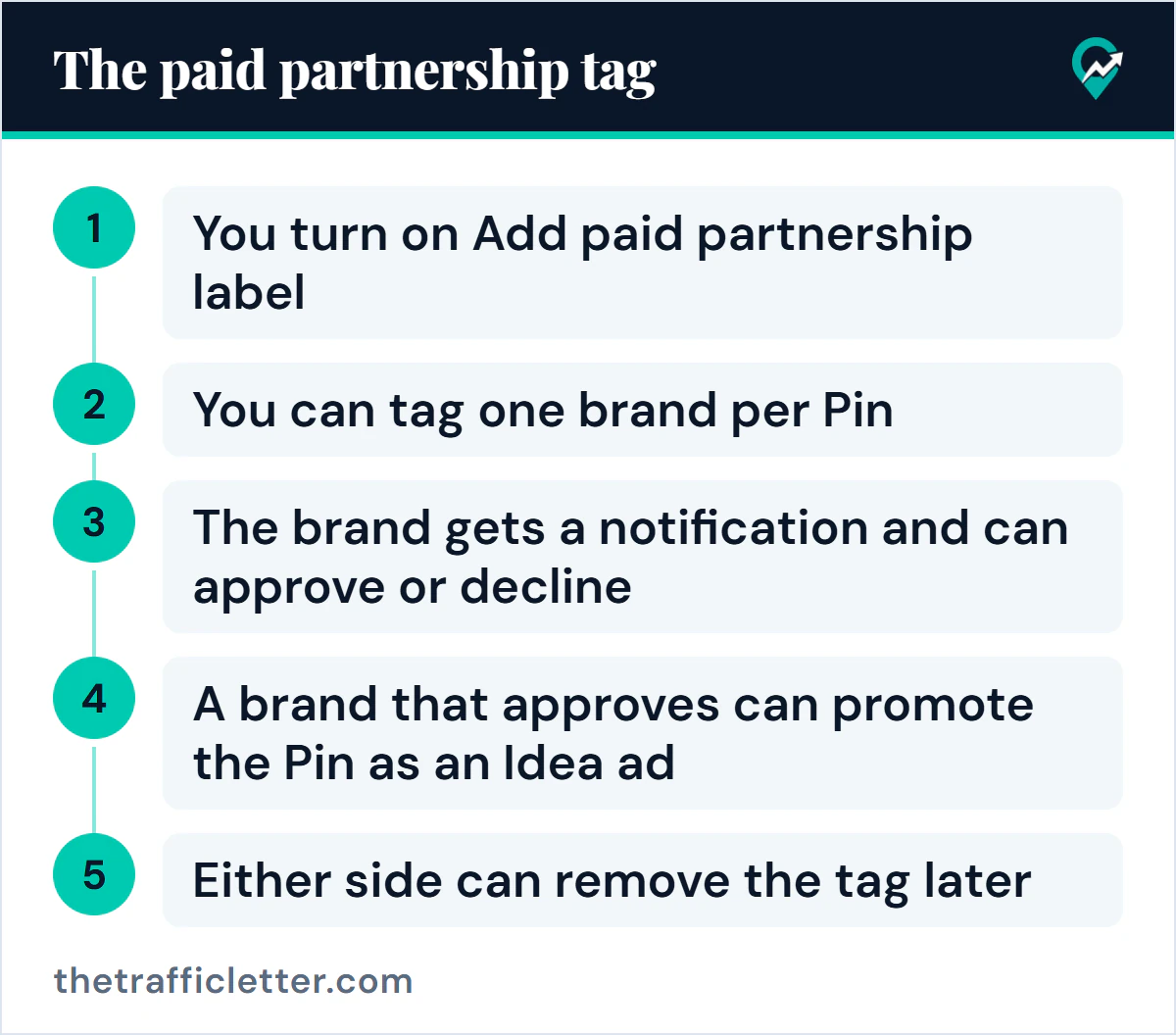
- In the Pinterest app, the tool sits under Advanced settings when you create a Pin. You turn on Add paid partnership label and then tap Add a brand partner.
- You can tag one brand per Pin. The label appears when the Pin is published, without the brand’s name.
- The brand gets a notification and can approve or decline. After approval, its name is added to the label.
- A brand that approves can promote the Pin as an Idea ad. A creator cannot promote a Pin that carries a paid partnership.
- Either side can remove the tag later, and a removed tag cannot be added again.
Pinterest’s creator page suggests preparing your profile before you contact a brand, with a portfolio of Pins, well-organized boards, a clear bio and current contact details, and describes pitching brands with a media kit. Whether a brand answers, and what it pays, is between you and the brand.
Can you sell your own products or services?
Yes. Pinterest’s creator page tells creators to make content shoppable where it fits, using product tagging, shopping recommendations or a shop. Its help page on product tagging says you can tag a Pin with up to 24 of your related products or other merchants’ products, as described for a business account.
For services, digital products and anything sold on your own site, the documented route is the link on the Pin. Pinterest says you can add a link to your website to a Pin, in a field on the Finishing touches editing page. The sale itself happens on your site, with your own checkout and payment setup, which Pinterest does not provide in the pages read. One service is built around Pinterest itself: managing Pinterest accounts for bloggers and small businesses, covered in our guide to what a Pinterest manager does for clients (opens in a new tab).
This route has one advantage for beginners. You do not need a third party to approve you, because the offer is yours. The cost is that you also need the product, the page that sells it and a reason for someone to trust it.
 Save
Is sending traffic to a blog or newsletter a way to earn?
It is a real route, with a caution about how to describe it. Pinterest documents the first half: a Pin can link directly to your site, outbound clicks are a Pin stat you can track, and Pinterest advises a prominent, straightforward link to drive traffic to your site. The second half, how the site earns, is outside Pinterest. A blog can earn from affiliate links, from sponsors or from its own products, and a newsletter can do the same. Those are common practice, and each has its own rules and its own partners. Display ads are another, and the companies that sell that ad space set their own entry tests, which we compare in what ad networks ask of a blog (opens in a new tab). Whichever route you pick, measure it with your own data: the guide to how to measure your own RPM (opens in a new tab) explains page RPM and session RPM.
The condition Pinterest does state is about the destination. Its Community Guidelines ask you not to link to unsafe, deceptive, untrustworthy or unoriginal websites, and say websites should have original content that adds unique value. They also ask for a no surprises approach, so people can reasonably anticipate where a link will take them.
If this is your route, the traffic work is in our guide to how to build blog traffic from Pinterest (opens in a new tab), and the search side is in how Pins are found in search (opens in a new tab).
What decides whether any of this earns money?
The sources read for this guide do not say what any route earns, and neither does this guide. Four things sit behind the result, and none can be replaced by a promise:
- Your audience: who sees your Pins and whether they trust you.
- Your niche: whether people in it buy, and whether partners exist for it.
- Your content: Pins and pages that are accurate, useful and original.
- Your effort over time: publishing, measuring and changing what does not work.
Being found comes before earning, so keyword work belongs early. The method is in our guide to keyword research using Pinterest’s tools (opens in a new tab). Measure with what Pinterest gives you. Pin stats show Impressions, Saves, Pin clicks and Outbound clicks on a business account. A Pin that gets saved but not clicked and one that gets clicked but earns nothing on the other side have different problems.
Which rules apply whichever route you pick?
Two sets of rules matter before any money is involved.
Spam rules
Pinterest’s Community Guidelines tell users not to create or save repetitive, deceptive or irrelevant content in an attempt to make money, and not to make money from Pinners or their web traffic in ways that are misleading, detract from the experience or add no value. They also name buying or selling engagement and stuffing irrelevant keywords as tactics to avoid. The guidelines were updated in May 2026, and Pinterest has announced a new version that takes effect on 12 November 2026. The wording on making money is similar in both versions read.
Disclosure
Pinterest’s paid partnership guidelines ask for a clear disclosure of the commercial nature of your content, such as #ad or the paid partnership label. The US Federal Trade Commission says to disclose a material connection, such as payment, free products or a commission, close to the endorsement and in plain words. It also says a platform’s own disclosure tool may not be enough by itself. This is general information, not legal advice. The FTC’s short guide for influencers is listed in the sources below. Where the disclosure goes on a Pin is covered in our guide to disclosure on affiliate Pins (opens in a new tab).
Where should you start?
This is a decision guide based on common sense, not a Pinterest rule. Pick the row that matches your situation.
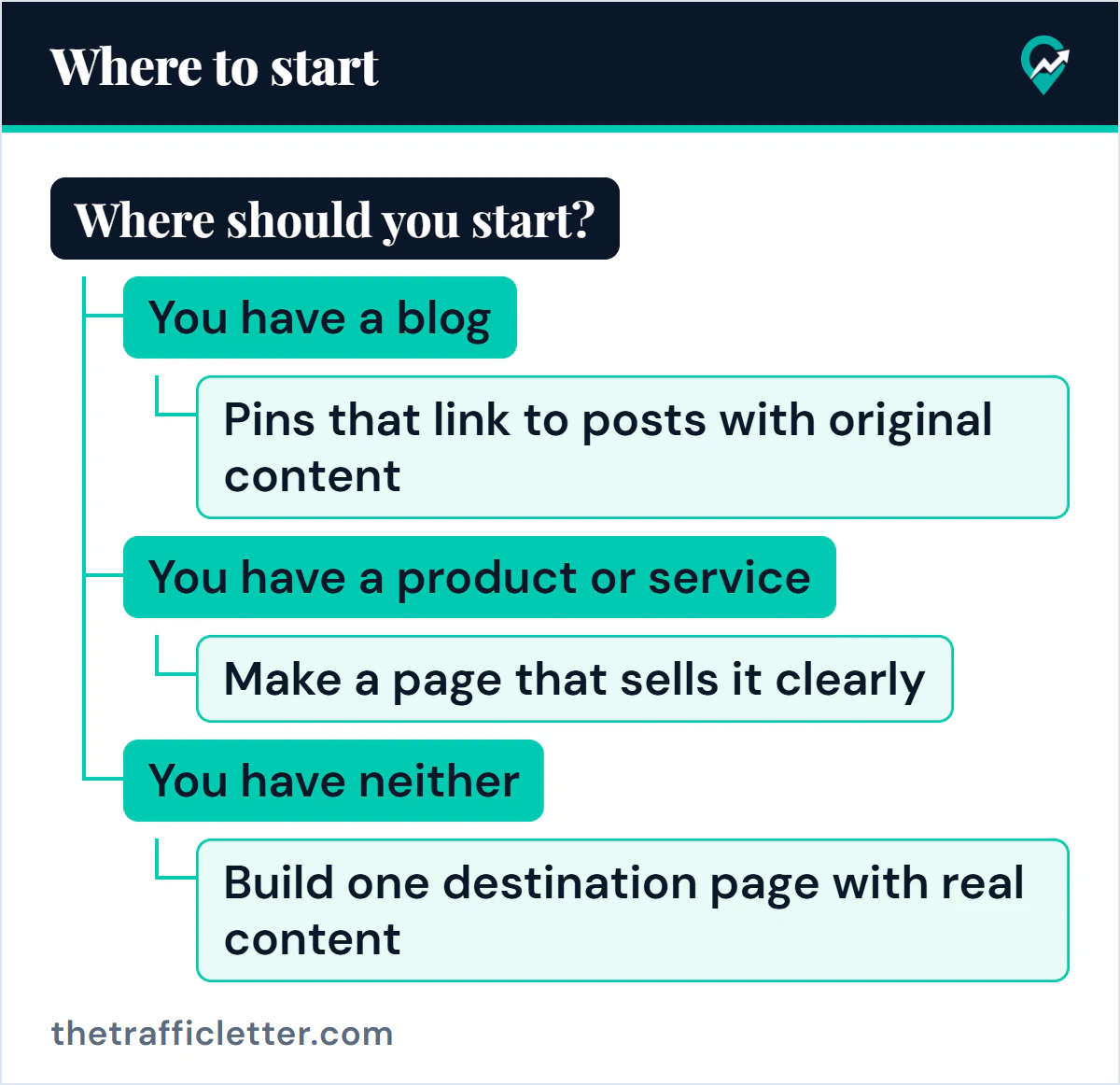
You have a blog
Start with the route you already control: Pins that link to posts with original content, using the Pinterest SEO basics (opens in a new tab) so the right people find them. Add an affiliate program or other income to the blog if it fits the topic, and keep the Pin and the post consistent. Then read about affiliate links on Pins (opens in a new tab).
You have a product or service
Make a page that sells it clearly, link your Pins to it, and look at product tagging and a shop if you sell physical or listed products. Write Pin text people search for, as in the Pin description guide (opens in a new tab).
You have neither
Pick a niche you can write about honestly and build one destination page with real content before you chase partners. The beginner affiliate guide (opens in a new tab) sets out the order of steps. Paid partnerships usually come later, once you have a profile a brand can assess, since Pinterest’s own advice is to prepare your profile and pitch. If you would rather not show your face, compare the options in our guide to Pinterest income without showing your face (opens in a new tab).
If you make your Pins with an assistant or a design tool, the guide to using AI to make Pins (opens in a new tab) covers what Pinterest says about AI labels and its rules, and Pinterest’s documented position on AI (opens in a new tab) lists the facts it has published. In all three cases, start with a free business account, keep your boards organized as covered in setting up boards in a clear structure (opens in a new tab), and check results after a few weeks of publishing rather than after a few Pins.