

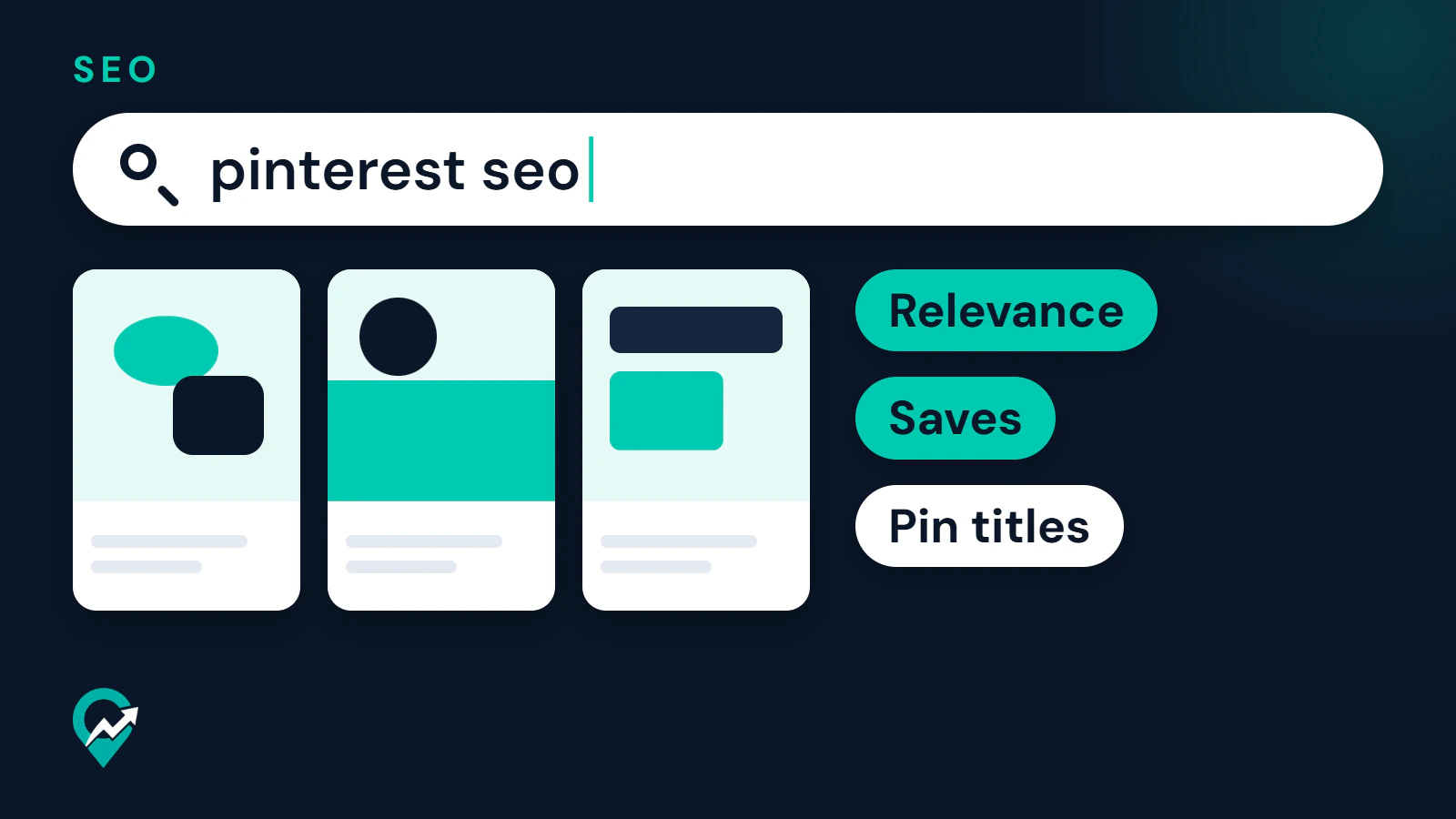
Pinterest works like a visual search engine, and bloggers get the most from it when their words match what people type. This guide covers where keywords belong, how to find them with Pinterest’s own tools and which advice is backed by Pinterest and which is habit. It sits inside the wider system described in our guide to the wider system for Pinterest traffic (opens in a new tab).
The most recent official guidance read for this article is from late 2025, and the community guidelines carry a May 2026 update. Where a screen label matters, the article uses the wording from Pinterest’s help page and leaves out any path Pinterest does not confirm.
What is Pinterest SEO?
Pinterest SEO is the work of making your Pins, boards and profile easy to match with a search. Pinterest says people use it as they would use a search engine: they search for a general idea or phrase, then use suggested results to narrow down to a final plan or product.
Pinterest lists four places where content gets discovered: the home feed, search, related Pins and shopping features. Search is the one you steer with words, which is why text on your Pins and boards matters even on a platform built around images.
How does Pinterest search work, according to Pinterest?
Pinterest does not publish a ranking formula. The pages read for this guide describe a few principles instead, and they are worth knowing because they shape every tactic below.
- Content is displayed based on engagement signals and topics, not in chronological order. Pinterest says content keeps appearing for relevant audiences over time, long after the day it was posted.
- Pinterest prioritizes content with high signals of meaningful engagement, and it names saves as the strongest metric. A Pin with many saves is recommended across the main pages ahead of less engaging content.
- The text you write counts. A creator guide says the descriptions, ingredient lists and board names you add affect how content appears and whether it reaches the right people.
- Fields you fill in help even when nobody sees them. Pinterest says some Pin fields are not shown to people but power its recommendation engines in the background.
How a reader uses the search bar itself, from guides to content type filters, is in our walkthrough of searching on Pinterest (opens in a new tab).
What the pages do not say is how much each signal weighs, how long a Pin needs to rank, or how many keywords are ideal. Treat any source that gives exact numbers for these as guessing.
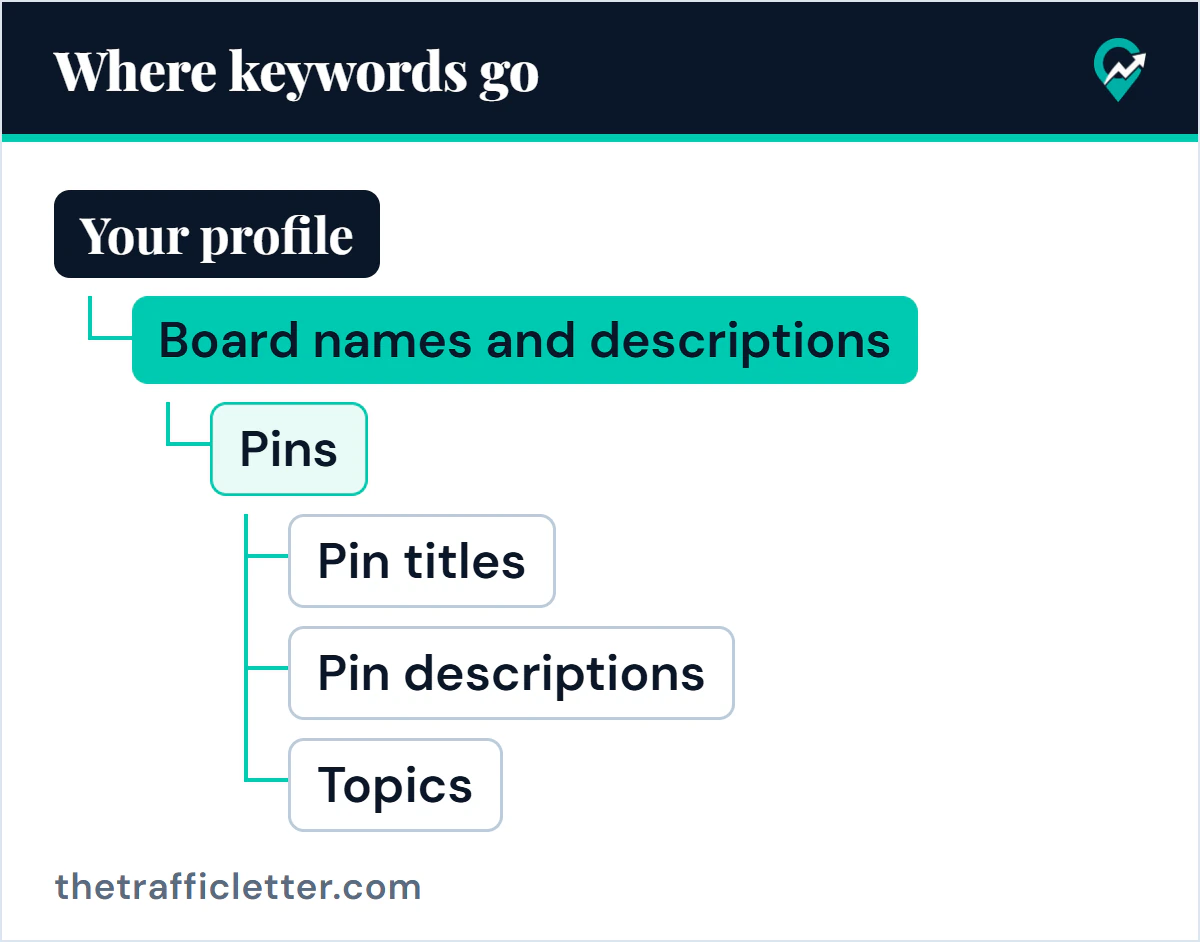
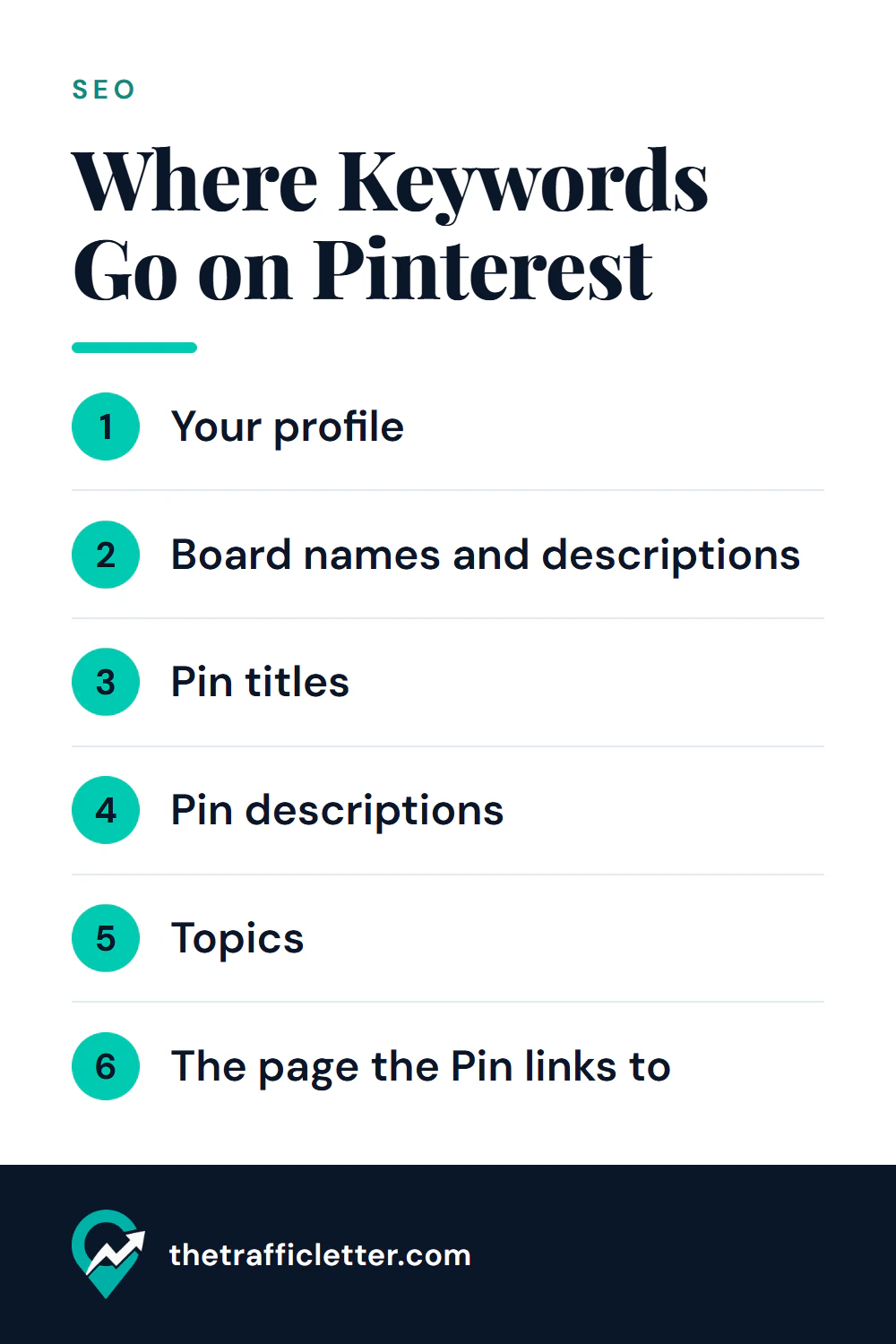
Where do keywords go?
Pinterest’s guidance is to fill in all the Pin fields every time and to give every board a proper title and description. The places below follow that advice, in the order a blogger usually sets them up.
Your profile
Pinterest’s help page lists the profile fields you can edit: Name, About, Website and Username. On the web it sends you through Settings, then Edit profile. For a business account the Name field holds your business name, and About takes a bio of up to 500 characters.
Pinterest does not say how profile text is weighted in search. Common practice is to state your topic in plain words in the bio, for example what your blog covers and who it helps, and to leave the business name as it is. Claiming your website is a separate step with a clear benefit: Pinterest links your profile to Pins saved from your site and shows your picture next to them.
Board names and descriptions
Pinterest says people can discover boards in their search results, so boards need clear titles and descriptions. You can change a board’s name and description at any time by opening the board, selecting the ellipsis icon next to the board name and choosing Edit board. The method for wording them is in our guide to Pinterest board names that get found (opens in a new tab), and the structure side is covered in board structure, sections and order (opens in a new tab).
Pin titles
Pinterest recommends always including a Pin title, using relevant keywords to give context. For ads, its specifications allow up to 100 characters and say the first 40 are most likely to show in the feed. That detail comes from the ad specifications, so treat it as a guide for organic Pins and not as a confirmed rule. The sensible habit is to put the main phrase first and keep the title readable.
Pin descriptions
The same advice applies to descriptions: include one, use relevant keywords and say what the Pin shows. The ad specifications list up to 800 characters, and again that limit belongs to ads. A formula with examples is in our article on Pinterest pin description examples (opens in a new tab).
Topics
Pinterest says you may see an option to tag a Pin with topics before publishing, and that you should always add topics when it is offered because it helps content show for more types of people. The page read for this guide does not say which Pins get the option, so use it whenever it appears.
The page the Pin links to
Every Pin can link to your site, and Pinterest recommends adding a URL so Pins bring people back to it. Two official pages shape how to treat the destination. The community guidelines say websites linked from Pinterest should have original content that adds unique value, and they ask for a no surprises approach where people can anticipate where a link takes them. The rich Pins page explains that article rich Pins pull the headline, description and author from your post and update when you edit the post, provided the page carries the right meta tags.
Common practice, which Pinterest does not document, is to make the post title and first paragraph use the same phrase as the Pin. It is simply good matching: a reader who clicked a Pin about one topic should see that topic confirmed. How to write that post so Google can read it too is in our writing method for blog SEO (opens in a new tab).
How do you find the right keywords with Pinterest’s own tools?
Pinterest points creators to two free sources. A creator guide says you can do your own keyword research on Pinterest itself by typing ideas into the search tab, and its audience guide says people narrow a search using suggested results. The practical reading is that the phrases Pinterest suggests as you type are a view of how people word the idea.
The second source is Pinterest Trends. Pinterest describes it as a view of up to two years of top search, save and shopping trends by region, and says you can use it to learn when people start searching for keywords. On the web, the help page says to log in to your business account, open the hamburger icon at the top-left, and select Pinterest Trends under Analyze performance. In the Search trends view you can enter a keyword, pick a date range and compare up to four keywords on one graph. Pinterest also notes that some features are in testing and only available in certain regions, so what you see may differ from the help page.
One detail matters for interpretation: Trends does not show raw search counts. Pinterest says it compares the share of searches for each term against all searches in the same period, and indexes the highest point of each term to 100. Use it to compare two wordings of an idea, not to estimate traffic. The full method, with a way to organize what you find, is in how to find Pinterest keywords for free (opens in a new tab), and our comparison of free keyword tools (opens in a new tab) shows what each tool measures, Google’s included.
 Save
How do content quality and fresh Pins fit in?
Pinterest’s own beginner guide says quality and relevance matter more than frequency, and that posting weekly is a good rule of thumb. Its audience guide says fresh Pins keep your audience engaged and help you reach new people regularly, and then adds that you should focus on the content itself rather than a set number of Pins per week. Its Pin-making overview says to create new original Pins at least once a week. These lines are not identical, so the safe reading is: aim for a steady weekly habit and let quality decide the rest. Timing is a separate question, and our note on whether Pinterest documents a best posting hour (opens in a new tab) says it does not.
Pinterest does not define a fresh Pin in the pages read here. A common definition in practice is a Pin with a new image or video, even when it points to an existing post. That is a convention, not a Pinterest rule.
Quality also has a policy side. The community guidelines say not to create or save content that is repetitive, deceptive or irrelevant in an attempt to make money, and they list stuffing irrelevant keywords among the tactics that improperly influence distribution. If you make several Pins for one post, make each one different in image and angle, and keep every keyword relevant to what the Pin shows.
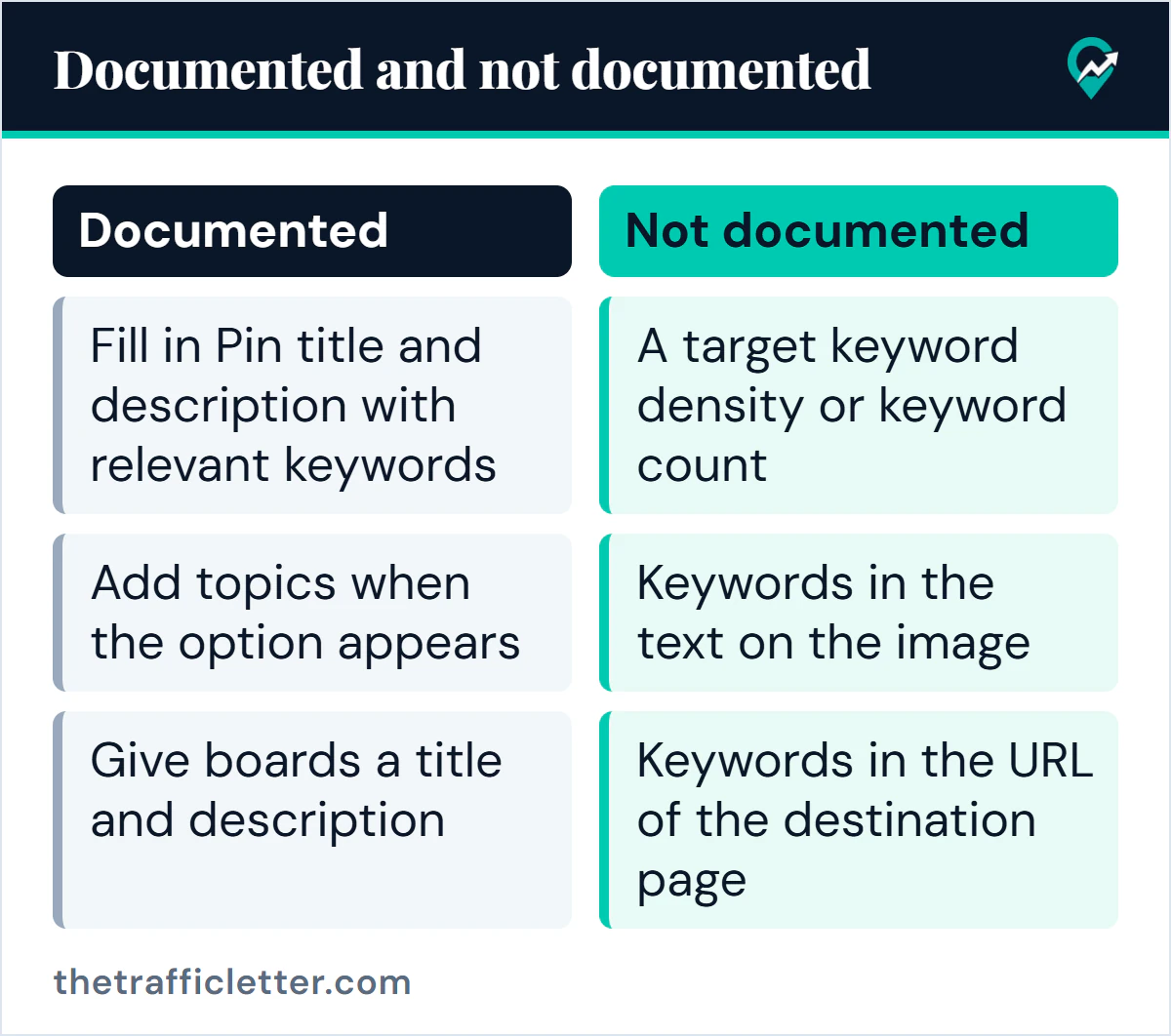
What is documented and what is common practice?
| Advice | Status | Note |
|---|---|---|
| People search Pinterest with words and use suggestions | Documented | Pinterest Business blog |
| Fill in Pin title and description with relevant keywords | Documented | Pinterest Business blog |
| Add topics when the option appears | Documented | Pinterest Business blog |
| Give boards a title and description, since boards appear in search | Documented | Pinterest Business blog |
| Saves and engagement drive recommendations | Documented | Pinterest for creators |
| Publish fresh, original Pins weekly | Documented as guidance | Wording differs between pages |
| Stuffing irrelevant keywords is spam | Documented | Community guidelines |
| Put the main keyword first in a title | Common practice | Pinterest says only the start of an ad title is likely to show |
| A target keyword density or keyword count | Not documented | Pinterest gives no number |
| Keywords in the text on the image | Not documented | No official page read confirms it is used |
| Keywords in the URL of the destination page | Not documented | A common habit, no official statement |
| A fresh Pin means a new image | Not documented | Pinterest does not define the term in the pages read |
A practical on-page checklist for bloggers
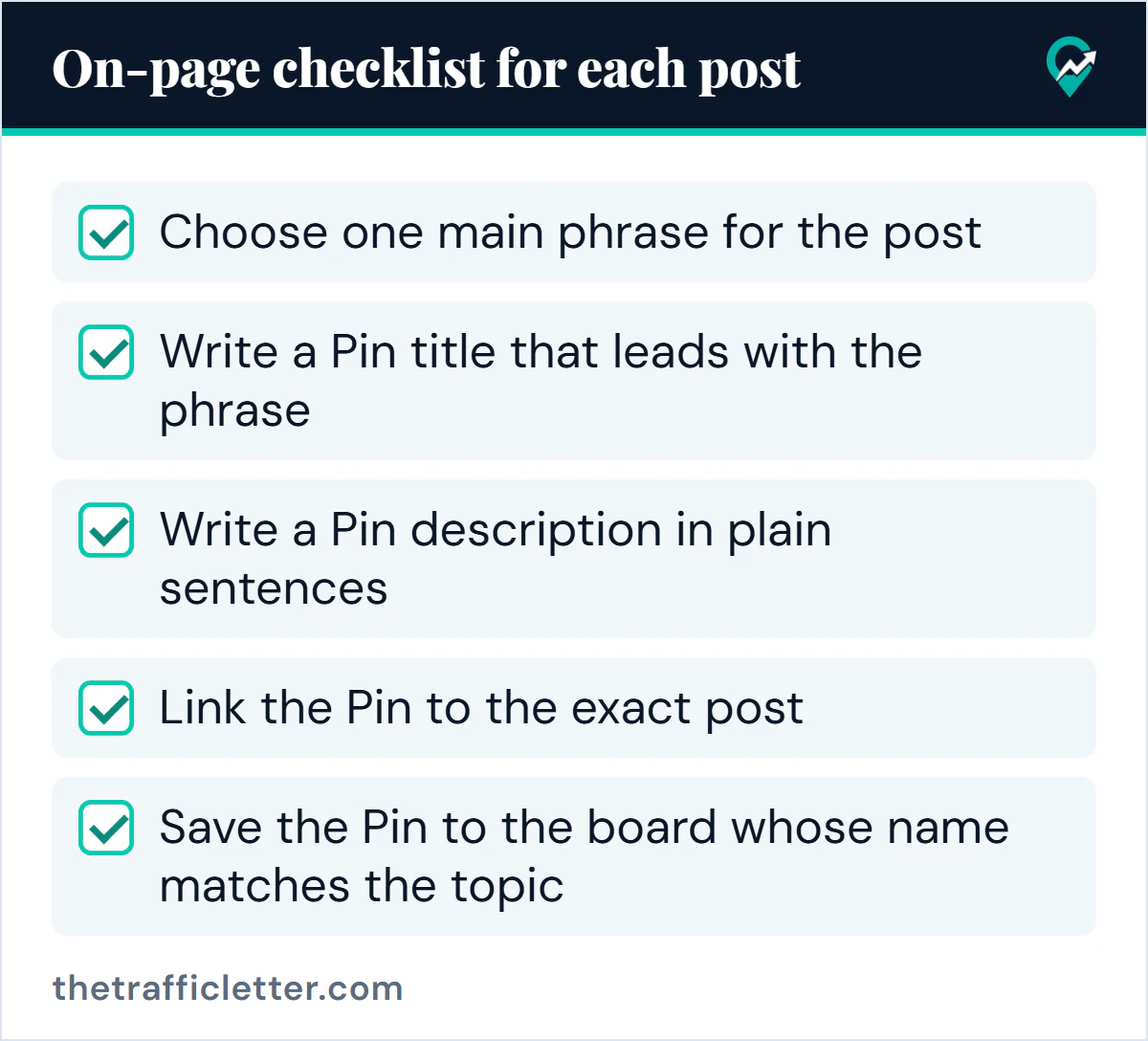
Run through this list for each post you want to promote.
- Choose one main phrase for the post by checking wording in Pinterest Trends and in the suggestions Pinterest shows when you search.
- Use that phrase in the post title and in the first paragraph, so the page confirms what the Pin promised.
- Write a Pin title that leads with the phrase and reads naturally.
- Write a Pin description in plain sentences that says what the Pin shows and what the reader gets.
- Add topics if the option appears.
- Link the Pin to the exact post, not to your home page.
- Save the Pin to the board whose name matches the topic.
- Check that the board has a clear title and a short description.
- Make sure your website is claimed and consider turning on rich Pins for article pages.
- Make each extra Pin for the same post different in image and angle.
How do you check whether it is working?
Pinterest Analytics is the official check. On the web, open the hamburger icon at the top-left and select Overview under Analytics. The Overview covers the last 30 days and shows overall performance along with top boards and top Pins, sorted by impressions to start. You can change the sort to engagements, Pin clicks, outbound clicks or saves.
The Analytics help page does not describe a report of the search terms that led to a Pin, so use the top Pins as your signal. Note which topics and wordings they share, then reuse them in new titles and descriptions. The review routine is covered in our guide to tracking Pinterest results (opens in a new tab).
Common mistakes in Pinterest SEO
- Listing keywords in a description instead of writing a sentence.
- Publishing near copies of the same Pin to cover more phrases.
- Changing titles, boards and images at once, which hides what worked.
- Treating unverified tips as rules.
What to do next
Pick one post and apply the checklist to it this week. Start with the phrase, then follow the method in a free keyword research routine (opens in a new tab) and write the Pin text with the formula in this guide to Pin titles and descriptions (opens in a new tab). If your goal is income, the routes Pinterest documents are mapped in our overview of earning on Pinterest (opens in a new tab). For the affiliate route, first steps in affiliate marketing (opens in a new tab) is the place to begin.