

If your posts get traffic from Pinterest, the same posts can also be written to show up on Google. This guide gives a writing method for one blog post, built on what Google Search Central says about content, titles, headings, links, images and snippets. The Pinterest side of search, where keywords go on a Pin and a board, is in our complete guide to Pinterest SEO (opens in a new tab). If you are still deciding whether a blog is worth it for search, our answer to whether blogging helps SEO (opens in a new tab) comes first.
Google’s starter guide describes SEO as helping search engines understand your content and helping users decide whether to visit your site from a search engine. Both halves matter for a blog post: the page has to answer the reader, and its parts have to say clearly what it is about.
What Google says matters most in a blog post
Google’s SEO starter guide says that creating content people find compelling and useful will likely influence your website’s presence in search results more than any of the other suggestions in the guide. It lists the attributes such content generally shares: the text is easy to read and well organized, the content is unique, it is up to date, and it is helpful, reliable and people-first.
Google’s page on helpful content adds a set of questions to test a post against. Among them: does the content provide original information, reporting, research or analysis; does the main heading or page title give a descriptive, helpful summary of the content; and will someone leave feeling they’ve learned enough about a topic to help achieve their goal?
The same page names warning signs of content made for search engines first, such as writing to a particular word count because you heard Google prefers one. Google’s answer on that page is direct: “No, we don’t.” How to size a post by its question instead is in our guide on how long a blog post should be (opens in a new tab) for SEO.
Before you write: a blog strategy for SEO
A blog strategy for SEO starts before the first sentence. Decide three things for each post, in this order.
One reader need per post
Write each post to answer one need. Google’s title advice asks for a title that accurately describes the contents of the page, which is easiest when the page answers one question. Google’s helpful content page asks whether your site has a primary purpose or focus and whether you have an audience that would find the content useful if they came directly to you. A blog about one niche, with one post per question in that niche, answers both.
The words your reader would search
Google’s starter guide asks you to think about the words a user might search for to find your content, and notes that people who know a topic well may use different words from people who are new to it. Its example is “charcuterie” against “cheese board”. Write the main phrase the way your reader would type it.
The guide also says not to worry if you don’t anticipate every variation, because Google’s language matching systems can understand how a page relates to many queries. Pick one main phrase and a few close variations, and write naturally. For a blog that also grows on Pinterest, our keyword research routine for Pinterest (opens in a new tab) gives you phrases people already search on Pinterest, which you can then use for the post too.
What you can add that other pages lack
Google’s helpful content page asks whether your content provides substantial value when compared to other pages in search results, and whether it avoids simply copying or rewriting other sources. Before you write, note what your post will add: your own steps, your own photos, a clearer order, a checklist the reader can use. If you cannot name anything, the post is not ready yet.
How to write a blog post for SEO, step by step
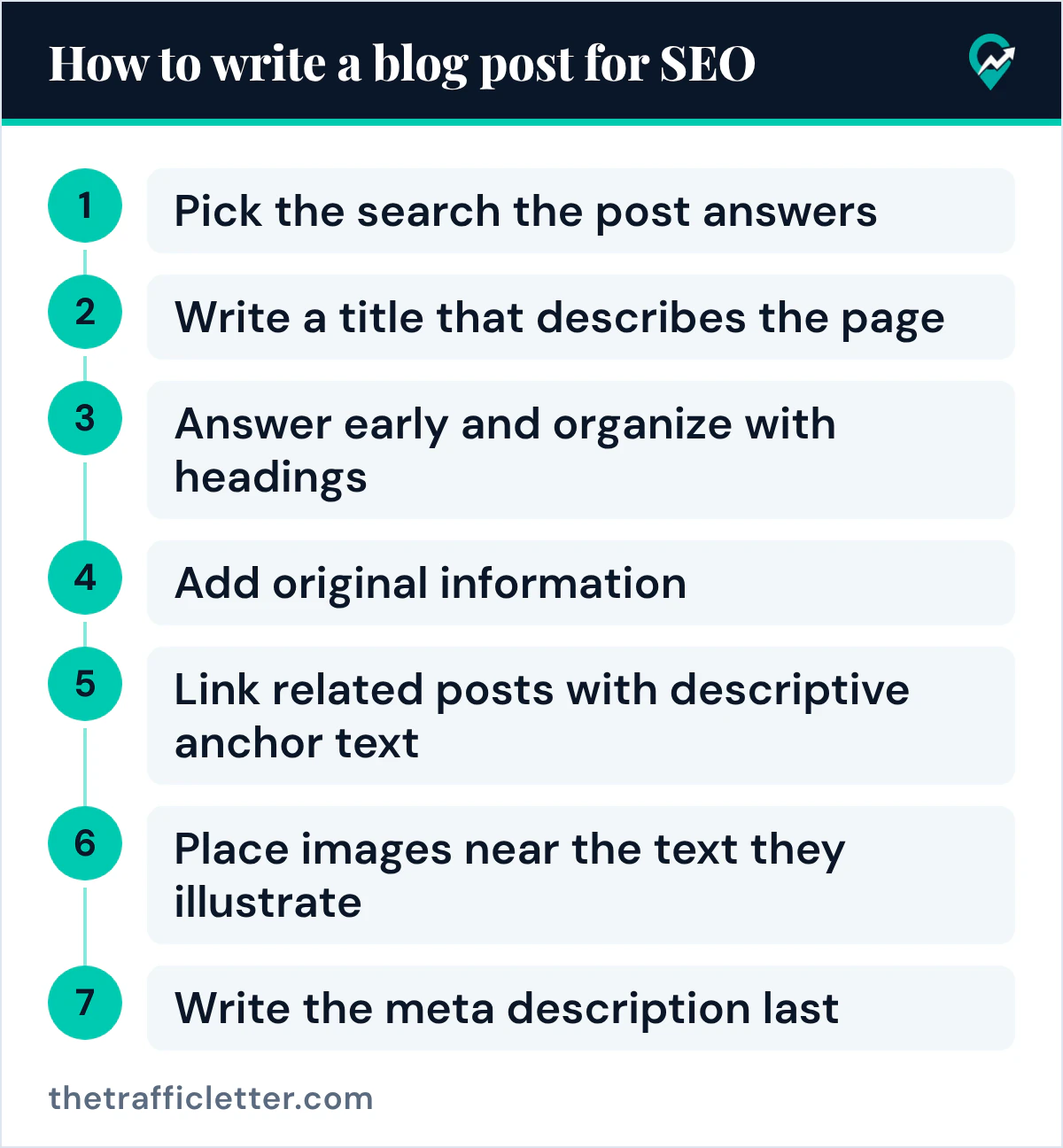
Here is the method this guide follows, one step per part of the page. Each step uses what Google’s pages say about that part.
1. Pick the search the post answers
Write the reader’s question in one sentence before you start. It becomes your test for every paragraph: a paragraph that does not help answer it can go.
2. Write a title that describes the page
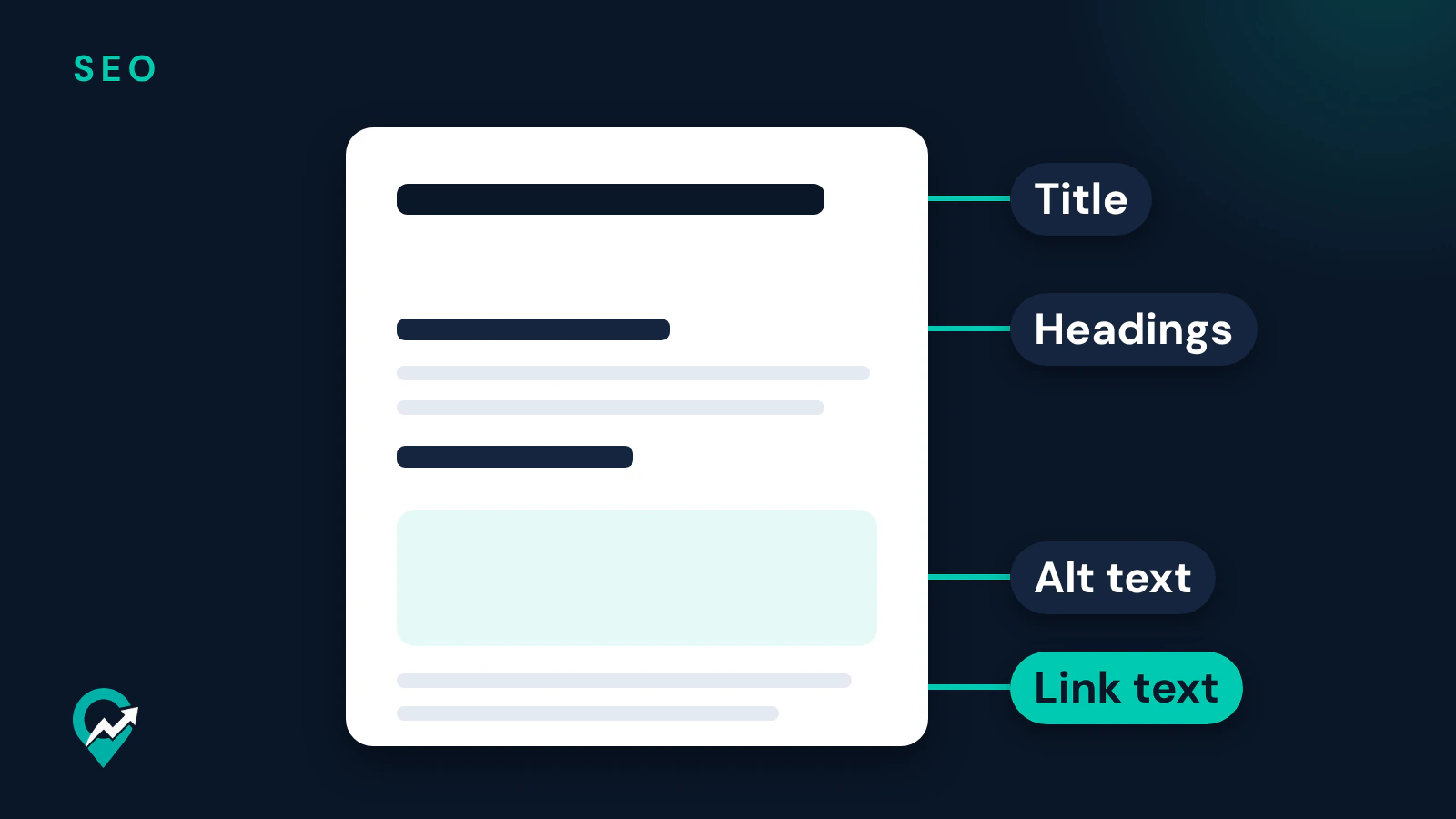
Google’s title link page says to make sure every page has a title, and to write descriptive and concise text for it. Its starter guide says a good title is unique to the page, clear and concise, and accurately describes the contents of the page. Google’s helpful content page adds that the title should avoid exaggerating or being shocking in nature.
For SEO, put the main phrase in the title where it reads naturally, usually near the start. Google’s title page warns against keyword stuffing: a few descriptive terms help, but there is no reason to repeat the same words or phrases. It also says there is no limit on how long a title element can be, but the title link is truncated in results as needed, so keep the important words early. If you add your blog name, Google suggests a short brand at the start or end, separated by a delimiter such as a hyphen, colon or pipe.
Google also looks at the main visual title and the headings of the page when it creates a title link. Make the post title the most prominent text on the page, for example in the first visible h1 element, as the title page suggests.
3. Answer early and organize with headings
Google’s starter guide asks you to break up long content into paragraphs and sections, and to provide headings to help users navigate your pages. Put the direct answer in the first paragraphs, then use headings that say what each section covers. A reader who scans only the headings should understand the post.
Google’s starter guide also says the number and order of headings don’t matter from a Google Search perspective, and that there is no ideal amount of headings. Semantic order still helps screen readers, so keep it clean, and write headings for readers rather than for a count.
4. Add original information
This is the step that the rest of the method supports. Google’s helpful content page describes effort and originality as attributes raters look at: the extent to which human work went into the content, and whether it offers information or perspectives that aren’t already available on other websites. Add your steps, your examples, your photos and your sources. Say who wrote the post, since the same page encourages accurate authorship information such as bylines.
5. Link related posts with descriptive anchor text
Google’s starter guide calls links a way to connect users and search engines to other parts of your site, and says link text tells users and Google something about the page you’re linking to. Google’s link page says good anchor text is descriptive, reasonably concise and relevant to both pages, and gives “Read more” as an example of link text that is too generic. Its tip: read only the anchor text, out of context, and check that it makes sense by itself.
Link each new post to the main guide of its topic and to one or two close posts, and add a link to the new post from an older one. When you link to a page you don’t trust, the starter guide suggests a nofollow or similar annotation.
Links from other sites to your blog have their own rules in Google’s spam policies. Our guides to guest posts and SEO (opens in a new tab) and comment links and SEO (opens in a new tab) cover what those pages say.
6. Place images near the text they illustrate
Google’s starter guide asks for sharp, clear images placed near text that is relevant to the image, because that text helps Google understand what the image is about. Its image page adds that Google extracts information from captions and image titles, that the filename gives very light clues, and that short descriptive filenames are better than generic ones such as image1.jpg.
Write alt text for every image. Google’s image page calls the alt text the most important attribute for image metadata and asks for useful, information-rich alt text that uses keywords appropriately and in context, without keyword stuffing.
7. Write the meta description last
Write the description once the post is done, when you know what it really covers. Google’s snippet page says it primarily creates snippets from the page content, and sometimes uses the meta description when it describes the page better. It describes a good meta description as a short, relevant summary of what a particular page is about, says descriptions should be unique to each page, and says strings of keywords give users no clear idea of the page and are less likely to be shown.
Google’s snippet page says there is no limit on how long a meta description can be, but the snippet is truncated as needed, typically to fit the device width. Put the most useful information first.
SEO guidance for each text field
| Field | What Google’s pages say | How to write it |
|---|---|---|
| Title | Unique, clear, concise, accurate; avoid keyword stuffing | Main phrase near the start, the promise of the post, no repeated words |
| Headings | Help users navigate; their number and order don’t matter for Google Search | One heading per section, each saying what the section answers |
| Body | Easy to read, well organized, unique, up to date | Answer first, short paragraphs, your own steps and examples |
| Link text | Descriptive, reasonably concise, relevant to both pages | Name the topic of the target page in a few words |
| Alt text | Useful, information-rich, keywords in context, no stuffing | Describe what the image shows and why it is on the page |
| URL | Words useful for users; keywords in it alone have hardly any effect | Short words that name the topic |
| Meta description | Short, unique to the page, the most relevant points | One or two sentences on what the reader will find |
On the URL, Google’s starter guide says parts of the URL can be shown as breadcrumbs, and that keywords in the domain name or URL path alone have hardly any effect beyond appearing in breadcrumbs. Pick a readable URL once and keep it.
What Google says not to focus on
Google’s starter guide lists topics it believes you shouldn’t focus on. For blog writing, these are the ones that matter:
- Word count. The guide says the length of the content alone doesn’t matter for ranking and that there’s no magical word count target, minimum or maximum.
- The keywords meta tag. The guide says Google Search doesn’t use it.
- Keyword stuffing. The guide says excessively repeating the same words, even in variations, is tiring for users and against Google’s spam policies.
- The number of headings. As covered above, the guide says there is no ideal amount.
- E-E-A-T as a ranking factor. The guide’s answer is “No, it’s not.” Google’s helpful content page still explains that its systems use a mix of factors that can identify content with good experience, expertise, authoritativeness and trustworthiness, and that trust is most important.
The helpful content page also warns against changing the date of pages to make them seem fresh when the content has not substantially changed. Update a post when you really improve it.
Using AI to help write a blog post
Google’s guidance on generative AI says it can be particularly useful when researching a topic and to add structure to original content. The same page says that using generative AI tools to generate many pages without adding value for users may violate Google’s spam policy on scaled content abuse. The spam policies page defines that abuse as many pages generated for the primary purpose of manipulating search rankings and not helping users, no matter how it’s created.
The AI page also says generative models predict a likely sequence of words rather than retrieve facts, so outputs may contain inaccuracies, and that it is critical to fact-check and review all AI-generated content before publishing. That review covers the title, the meta description, structured data and image alt text too. Use AI for an outline or a first title, then check every fact against your sources and add your own steps and examples. These prompts work in ChatGPT, Claude, Gemini or any AI assistant.
An outline from your own notes:
I write a blog about [your niche] for [your reader]. Write an outline for one post that answers this question: [the reader's question]. The main search phrase is [your main keyword]. Use my notes below as the only facts; do not add facts, numbers or claims that are not in my notes. Give an H1, then 5 to 8 H2 headings that each say what the section answers, with one line under each on what my notes say for it. My notes: [paste your notes]Title and meta description options:
Here is my finished blog post: [paste the post]. Write 5 title options and 3 meta description options. Each title must describe this page accurately, put [your main keyword] near the start once, and avoid exaggeration. Each meta description must be one or two sentences that summarize what the reader will find in this post, with the most useful information first. Do not repeat the keyword more than once in any option.Alt text for your images:
For each image below, write alt text that describes what the image shows and how it relates to this blog post about [your topic]. Use keywords only where they describe the image; no lists of keywords. Image 1: [describe the image and where it sits in the post]. Image 2: [describe it].Read every output before you use it. Our guide to prompts for Pinterest titles and descriptions (opens in a new tab) gives prompts for the Pin side of the same post.
How one post serves Pinterest and Google
A blog that grows on Pinterest can use the same post for both. The Pin brings the reader from Pinterest, and the post answers the search on Google. Use the same main phrase on the Pin and in the post title and first paragraph, so a reader from either one finds the topic confirmed. The way Pins send readers to posts, and how to link each Pin to the right page, is in our Pinterest traffic plan for blog posts (opens in a new tab), and the Pin text itself is covered in our guide to Pin descriptions written for search (opens in a new tab).
The layout of the post matters too: where the title, headings, images and description sit on the page. Our guide to choosing an SEO friendly blog template (opens in a new tab) covers what a post layout should give you. Once a post is live, our seven steps to get traffic to your blog (opens in a new tab) cover how readers find it.
Right after
- Pick one existing post and test its title against Google’s description of a good title: unique, clear, concise and accurate. Rewrite it if it fails.
- Check that post’s images for descriptive filenames and alt text, and its links for anchor text that makes sense out of context.
- Write the Pin for that post with the same main phrase, using our Pinterest keyword research routine (opens in a new tab) to choose it.