

Bloggers who grow on Pinterest often ask whether the blog itself does anything for Google. This guide answers from Google Search Central’s own pages: how a blog post gets found, how it can match searches, and the warning signs Google lists for content made mainly for rankings. The writing method for each post is in our guide to writing blog posts Google can read (opens in a new tab), and the Pinterest side of search is in our overview of how Pinterest search works (opens in a new tab).
Does a blog help SEO? What Google’s pages say
Google’s SEO starter guide describes SEO as helping search engines understand your content and helping users decide whether to visit your site. It says that creating content people find compelling and useful will likely influence your presence in search results more than any of its other suggestions. A blog is a way to publish that content one page at a time.
So the short answer is yes, a blog can help SEO, with a condition. The help comes from posts that are useful to a reader. Google’s helpful content page asks whether you have an existing or intended audience that would find the content useful if they came directly to you, and whether your site has a primary purpose or focus. A blog about one niche, with one post per question, answers both.
How a blog helps SEO
Read together, Google’s pages point to four ways a blog post can help a site in search.
Each post is one more page that can answer a search
A page shows up for the searches its content answers. Google’s starter guide says that if you vary the words, writing naturally to not be repetitive, you have more chances to show up in Search simply because you are using more keywords. A blog adds pages, and each post can answer a question your readers type, in their words. How much to write for each question is in our guide to sizing a blog post for SEO (opens in a new tab). Our method for finding the phrases people search (opens in a new tab) gives you those words from Pinterest.
Posts give Google new pages to find through links
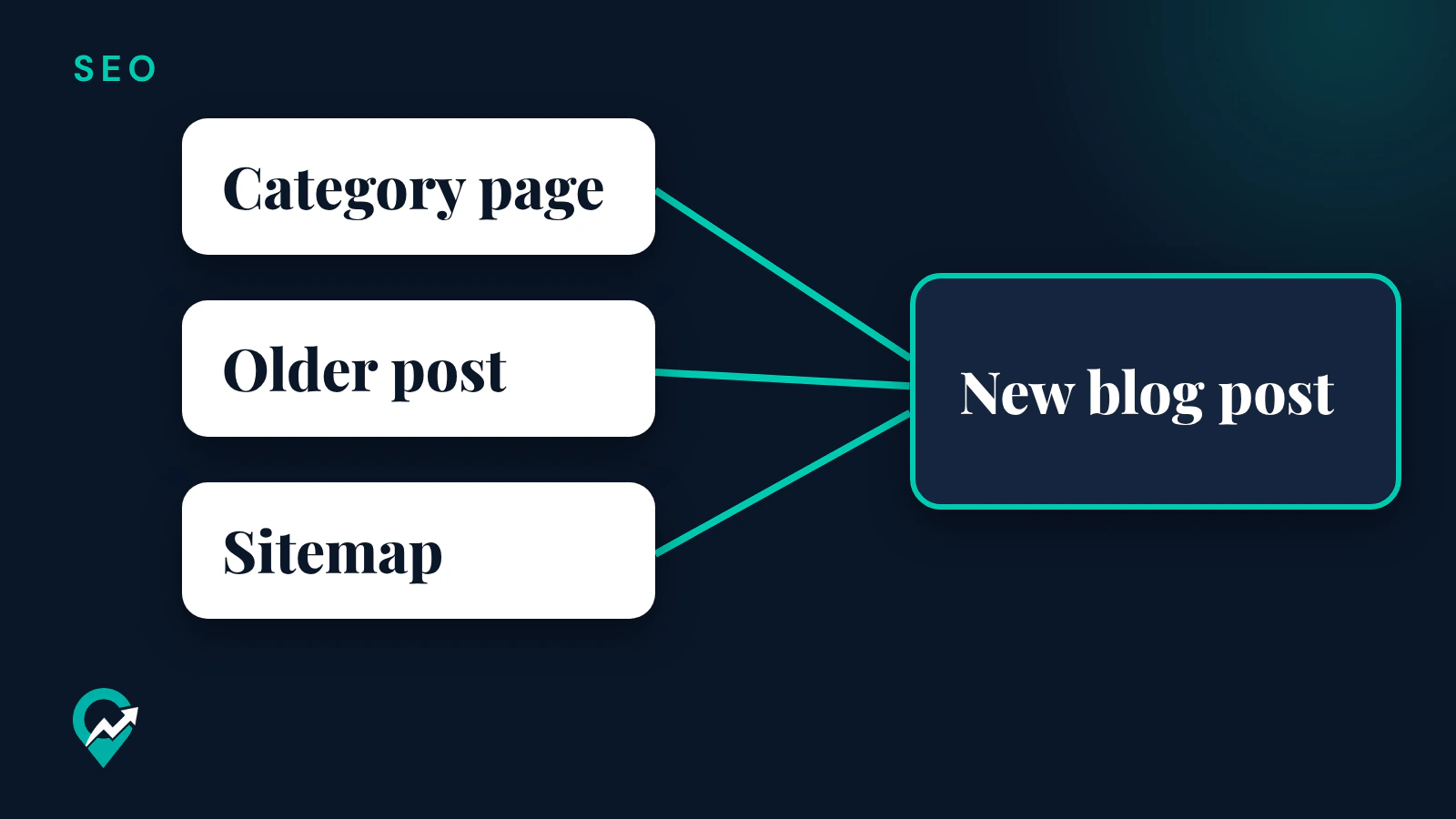
Google’s in-depth guide to how Search works says the first stage is finding out what pages exist, and that there isn’t a central registry of all web pages. Some pages are discovered when Google extracts a link from a known page to a new page, and its example is a hub page, such as a category page, that links to a new blog post. Other pages are discovered through a sitemap.
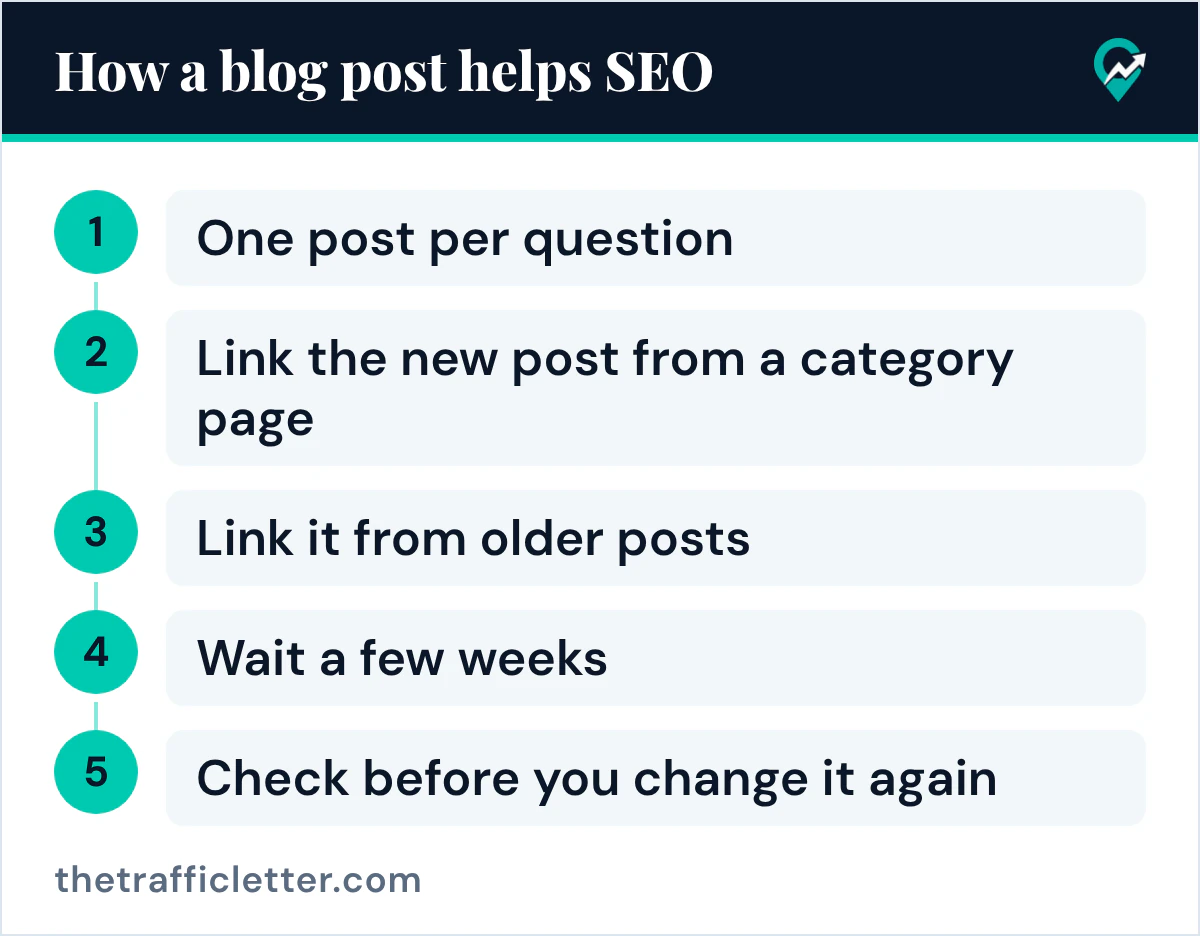
The starter guide adds that the vast majority of the new pages Google finds every day are through links. So when you publish, link the new post from a category page and link it from older posts on the same topic. Google’s link page says every page you care about should have a link from at least one other page on your site.
Posts give other sites something to link to
Google’s starter guide says Google primarily finds pages through links from other pages it already crawled, and that in many cases these are other websites linking to your pages. It says this happens naturally over time, and that you can also encourage people to discover your content by promoting your site. A useful post is something another blogger can cite. Google’s ranking systems guide names link analysis systems and PageRank among its systems: they look at how pages link to each other to determine what pages are about.
The starter guide also says PageRank is one of many ranking signals and that there is much more to Google Search than just links. Links work alongside the content of the post.
Internal links connect your posts for readers and Google
Google’s link page says the anchor text of internal links can help both people and Google make sense of your site and find other pages on it. Its advice is to think about which other pages on your site could help readers understand a given page, and link to them in context. On a blog, that means each post links to the main guide of its topic and to a close post, with descriptive link text.
Warning signs Google lists for blog content
Google’s helpful content page lists questions that are warning signs that content is made mainly to gain search engine rankings. Several apply to blogs:
- Are you producing lots of content on many different topics in hopes that some of it might perform well in search results?
- Are you using extensive automation to produce content on many topics?
- Are you mainly summarizing what others have to say without adding much value?
- Are you writing about things simply because they seem trending and not because you’d write about them otherwise for your existing audience?
Google’s spam policies go further. They define scaled content abuse as many pages generated for the primary purpose of manipulating search rankings and not helping users, no matter how it’s created. Their examples include using generative AI tools or similar tools to generate many pages without adding value for users.
A blog with many thin posts on unrelated topics fits those warning signs. A blog whose posts each answer a real question in one niche fits Google’s description of people-first content.
Does posting more often help SEO?
The Google pages read for this guide give no posting frequency. Google’s helpful content page asks: “Are you adding a lot of new content or removing a lot of older content primarily because you believe it will help your search rankings overall by somehow making your site seem ‘fresh?’” Its answer is “No, it won’t.” The same page lists changing the date of pages to make them seem fresh, when the content has not substantially changed, as another warning sign.
Freshness does matter for some searches. Google’s ranking systems guide describes “query deserves freshness” systems that show fresher content for queries where it would be expected, such as a movie that has just been released. For a question whose answer rarely changes, keep the post accurate and update it when the facts change.
Google’s starter guide asks you to keep content up to date: check in on previously published content, update it as needed, or delete it if it’s not relevant anymore. Updating a post you really improved is part of running a blog; changing its date without changing its content is a warning sign on Google’s list.
How long before a blog helps SEO
Google’s starter guide says every change takes some time to be reflected on Google’s end. Some changes might take effect in a few hours, others could take several months. Its advice is to wait a few weeks to assess whether your work had beneficial effects in Google Search results, and it adds that not every change will result in a noticeable impact.
For a new post, that means you publish it, link it, promote it, and wait a few weeks, then check before you change it again.
How to check that your blog is helping
Google’s starter guide gives two checks you can run:
- Search Google for your site with the site: search operator. If you see results pointing to your site, your pages are in the index.
- Use the URL Inspection Tool in Search Console to check how Google sees a given post.
Setting up a Search Console account is the next step the starter guide recommends: it helps you monitor how your website performs on Google Search. Look at which posts receive impressions and for which searches, then improve the posts that are close to answering a search well.
How a blog and Pinterest work together
A blog that grows on Pinterest can get two kinds of visits to the same post. The Pin brings readers from Pinterest, and the post can be found on Google for the question it answers. The way Pins send readers to posts is in our plan for Pinterest traffic to blog posts (opens in a new tab).
Links from other sites can come from your work outside your own blog too. Our guides to writing guest posts for SEO (opens in a new tab) and leaving blog comments for SEO (opens in a new tab) cover what Google’s spam policies say about each one.
Right after
- Pick one post and check that it answers one reader question, then link it from its category page and from one older post. Our writing method for search and readers (opens in a new tab) covers the rest of the page.
- Check your blog theme outputs a clear title and headings on every post, using our checklist for SEO friendly blog templates (opens in a new tab).
- Set up Search Console, wait a few weeks, then look at the searches your posts appear for. The other routes to readers are in our guide to getting traffic to your blog (opens in a new tab).