

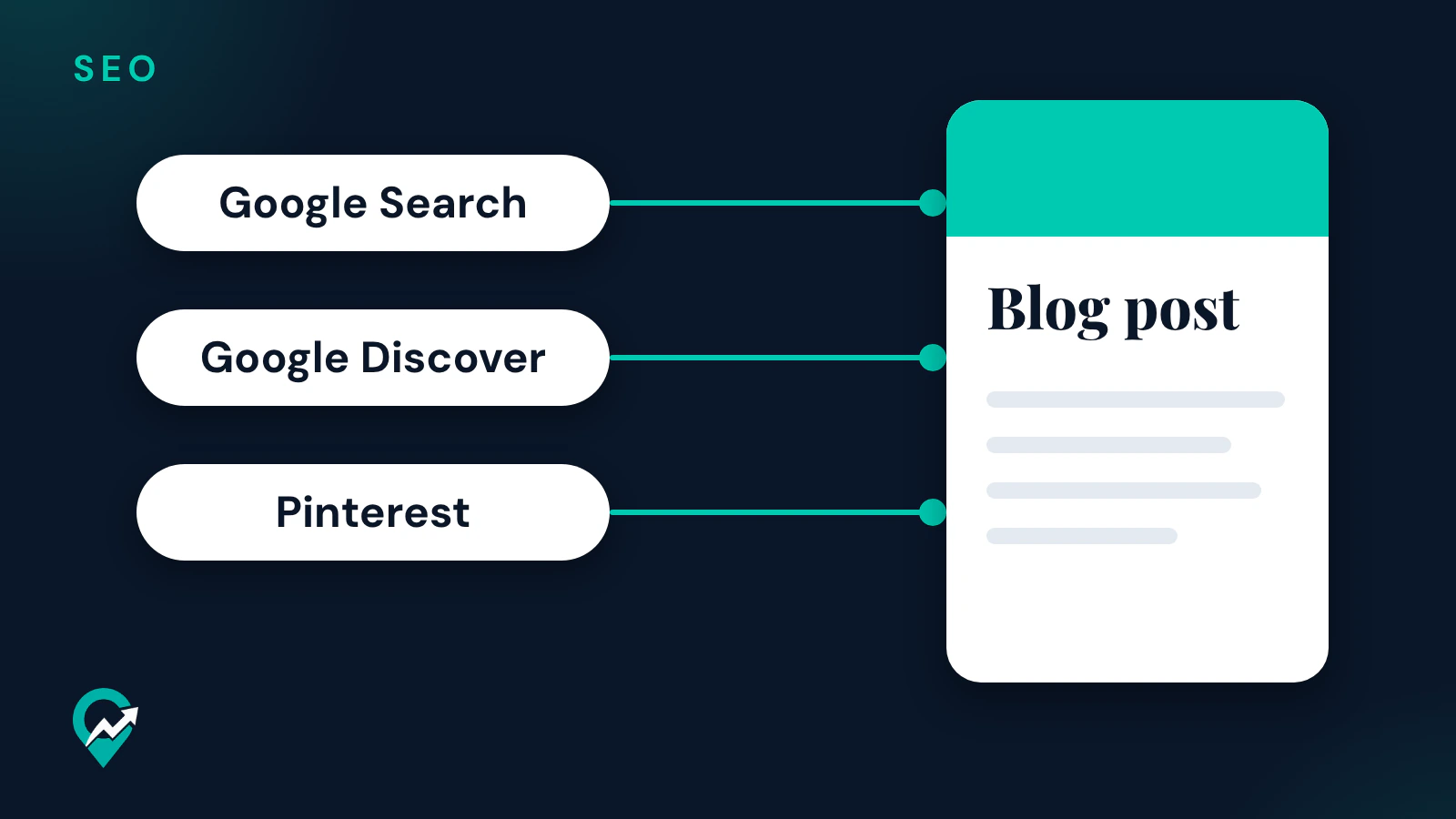
A blog post gets visits when people can find it: on Google, on Pinterest, or through someone who shares it. This guide takes each route from Google’s and Pinterest’s own pages and turns it into seven steps you can apply to the blog you already have. The writing side of each post is in our method for writing blog posts Google can understand (opens in a new tab), and the Pinterest side of search is in our guide to Pinterest SEO and Pin ranking (opens in a new tab).
Where blog traffic comes from
The pages read for this guide describe four routes to a blog post:
- Google Search. Google’s starter guide says Google is a fully automated search engine that uses crawlers to find pages to add to its index, and that you usually don’t need to do anything except publish your site on the web.
- Google Discover. Google’s Discover page says Discover is part of Google Search and shows people content related to their interests. Indexed content that meets Discover’s content policies is automatically eligible, with no special tags, and the page adds that eligibility is not a guarantee of appearing.
- Pinterest. Pinterest’s business blog says people use Pinterest as they would a search engine. A Pin that links to your post can bring readers from those searches.
- Promotion. Google’s starter guide lists social media promotion, community engagement, advertisement both offline and online, and word of mouth, and suggests sending recurring newsletters to your audience, with their permission, about new content.
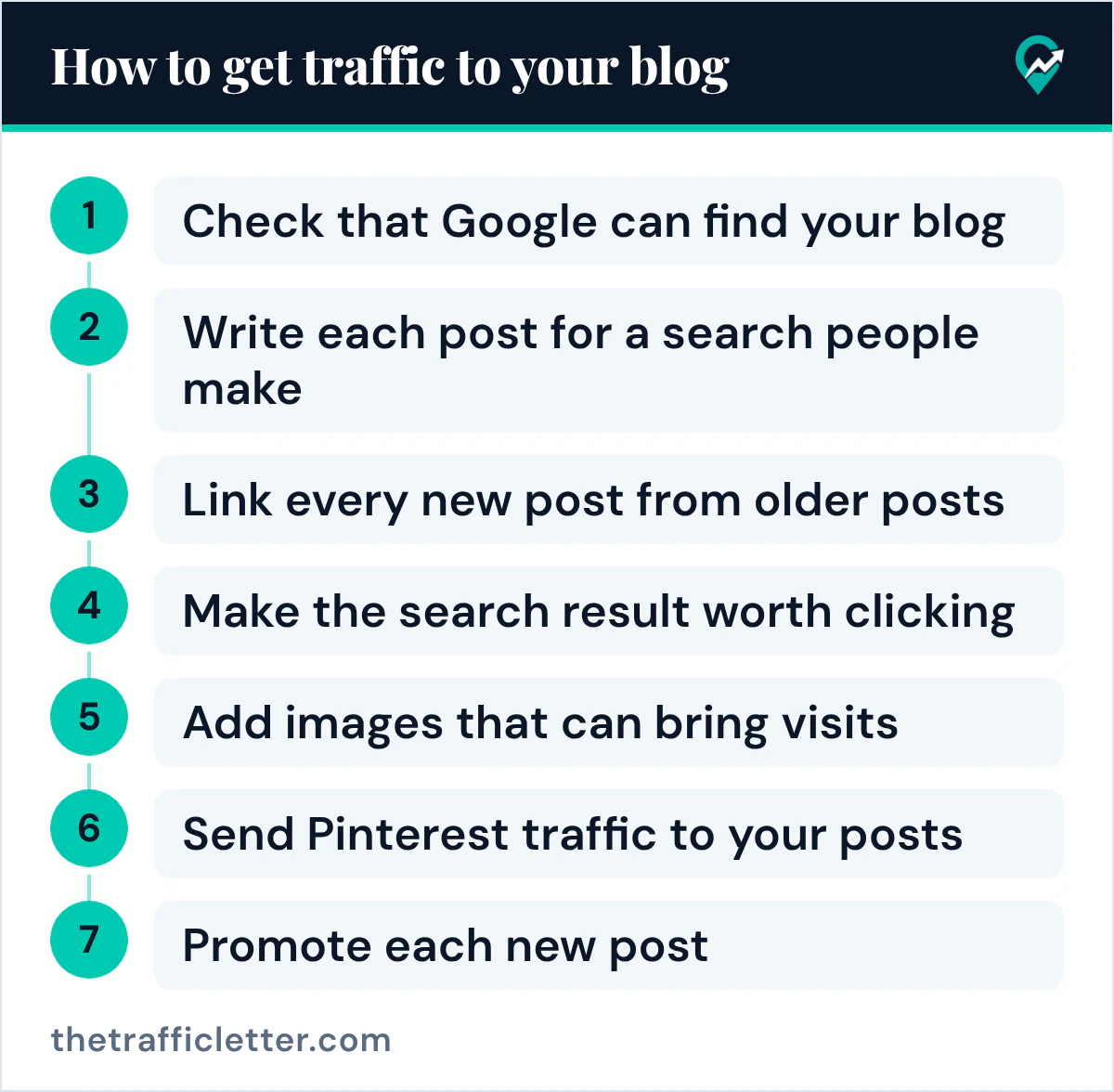
How to get traffic to your blog, step by step
The seven steps below follow that order: first make sure Google can see your posts, then make each post worth finding, then send people to it.
1. Check that Google can find your blog
Search Google for your site with the site: operator, for example site:example.com with your own domain. Google’s starter guide says that if you see results pointing to your site, you’re in the index. Google’s page on getting your site on Google adds that the site: operator doesn’t necessarily return all the indexed URLs.
If your blog does not appear, the same page lists the frequent reasons: your site isn’t linked to by other sites, it was just launched and Google hasn’t had time to crawl it yet, its design makes it hard to crawl, or Google received an error, for example because of a login page. It also says to use text, not just images or video, on your site.
Then set up Search Console. Google’s Search Console page gives four first steps: verify site ownership, make sure Google can find and read your pages with the Index coverage report, consider submitting a sitemap, and monitor your site’s performance.
2. Write each post for a search people make
Google’s starter guide asks you to think about the words a user might search for to find a piece of your content, and notes that people who know a topic well may use different words than someone new to it. Its example is “charcuterie” against “cheese board”. Write the post in the words your reader uses, and answer the question they typed.
Google’s helpful content page asks whether your content would leave a reader feeling they learned enough about a topic to help achieve their goal. Our guides to sizing a post for the question it answers (opens in a new tab) and to what a blog does for SEO (opens in a new tab) go further on both points.
3. Link every new post from older posts
Google’s starter guide says the vast majority of the new pages Google finds every day are through links. When you publish, link the new post from a category page and from one or two older posts on the same topic, with link text that says what the page is about. The starter guide says link text tells users and Google something about the page you’re linking to.
Links from other sites help too, and Google’s starter guide says they happen naturally over time. Google’s page on getting your site on Google adds a limit: please don’t pay other sites to link to you, because that could be considered a violation of Google’s spam policies. Our guides to guest posts and Google’s link rules (opens in a new tab) and to blog comments for SEO (opens in a new tab) cover two ways to look for links from other sites.
4. Make the search result worth clicking
Google’s starter guide says the title link and the snippet of a result help people decide whether to visit your site. It says the title link can come from the words inside the title element and other headings, and that a good title is unique to the page, clear and concise, and accurately describes the contents of the page. The snippet under it is sourced from the page content and occasionally from the meta description, which the guide describes as short, unique to one page and including the most relevant points.
An AI assistant such as ChatGPT, Claude or Gemini can draft both from your post. Google’s pages read for this guide give no character limit, so the prompt asks for the qualities Google names:
Here is my blog post about [topic], written for readers who search "[main search phrase]": [paste the post].
Write 3 title options and 3 meta description options.
Each title: unique to this page, clear and concise, and an accurate description of what the post contains.
Each meta description: one or two short sentences with the most relevant points of the post.
Do not promise anything the post does not contain. Plain text only.
Keep the option that matches the post best and edit it in your own words.
5. Add images that can bring visits
Google’s starter guide says many people search visually and images can be how people find your website for the first time. It asks for sharp, clear images placed near the text that relates to them, with descriptive alt text.
For Google Discover, the Discover page recommends compelling, high-quality images, especially large images, at least 1200 px wide, with a 16x9 aspect ratio, enabled by the max-image-preview:large setting. It also asks for page titles and headlines that capture the essence of the content and warns against clickbait. Our checklist of what an SEO friendly blog template must output (opens in a new tab) shows where those settings live in a theme.
6. Send Pinterest traffic to your posts
Pinterest’s business blog says people often search general ideas or phrases, then use suggested results to narrow down. It recommends filling in all the Pin fields, always with a Pin title and description that use relevant keywords, and adding topics when the option appears.
Two settings connect your blog to Pinterest. Pinterest’s help page says claiming your website gives you insight into how often your content is shared on Pinterest, and that when an image from your claimed site is saved, your profile picture appears alongside the Pin. Its rich Pins page says article rich Pins add the headline or title, the description and the author of the post from your site. The full plan, from boards to Pin links, is in our step-by-step plan for Pinterest traffic to blog posts (opens in a new tab).
7. Promote each new post
Google’s starter guide says effectively promoting your new content leads to faster discovery by people interested in the same subject, and by search engines. It calls word of mouth one of the most effective and lasting ways, and says it usually takes time and effort in other practices first, such as community engagement. A newsletter fits here: with their permission, tell your readers when a post goes live.
The same guide warns that you can overdo promotion: people may get fatigued of it, and search engines may perceive some of the practices as manipulation of search results. Share each post where your readers already are, once, with a reason to read it.
How long it takes to get blog traffic
Google’s page on getting your site on Google says it can take a few weeks for Google to notice a new site, or any changes in your existing site. Its starter guide says some changes take effect in a few hours, others could take several months, and that you likely want to wait a few weeks to assess whether your work had beneficial effects. It adds that not every change will result in a noticeable impact.
For a new blog, that means publishing, linking and promoting several posts before judging the results, and changing one thing at a time after that.
How to measure your blog traffic
Google’s Search Console page says the Search performance report shows how much traffic you’re getting from Google Search, with breakdowns by queries, pages and countries, and trends for impressions, clicks and other metrics. Look at which posts get impressions but few clicks: their title and description are the first thing to improve.
For visits from Pinterest, read Pinterest Analytics, as explained in our guide to reading Pinterest Analytics for blog traffic (opens in a new tab).
Right after
- Run a site: search for your blog today, then set up Search Console if you have not already.
- Pick your three newest posts and link each one from an older post on the same topic, with descriptive link text.
- Create one Pin for your best post, using our Pinterest traffic plan (opens in a new tab) for the title, description and link.