

Bloggers often want to reuse a picture they found on Pinterest, or show a Pin on a post. Pinterest’s pages answer part of this and leave part of it to copyright law, which this guide does not interpret. It gives what Pinterest says about permission, the licence in its terms, the add-ons it provides for showing its content and the logo rules, then a checklist you can apply before you publish. It belongs to the same cluster as our guide to what to do when Pinterest suspends an account (opens in a new tab), because repeated intellectual property problems are one of the reasons Pinterest lists for deactivation. Nothing here is legal advice, and Pinterest itself says it cannot give any.
What Pinterest says about using images you find on it
Pinterest’s help page on copyright explains the basics in plain words. Copyright gives the creator of an original work exclusive rights, which often include the right to copy, display and distribute it. It does not cover facts or ideas, but it does protect the original words or images that express an idea. A copyright is generally owned by whoever creates the work, though an employer or a contractor’s client can own it in some cases, and the owner can transfer it.
Two points from that page matter for a website owner:
- Owning or possessing a copy is not the same as owning the copyright. The page gives the example of buying a collection of old photographs, which does not necessarily mean you own the copyright in them.
- Where necessary, permission to use an image or video that you find on Pinterest should be sought from its copyright holder. Pinterest says it does not have information about who owns the copyright of a given Pin, and it cannot tell you how to get in touch with the holder.
So a Pin being public does not answer the question. The Pin is a copy of a picture that someone else may own.
What the Terms of Service say about the content
Pinterest’s Terms of Service say that you keep all rights in the content you post and are responsible for it, and that you should only post content you have the rights to post. They also describe a licence. By posting, people grant Pinterest, its affiliates, its service providers and its users a licence to use, display, reproduce, save and distribute the content, including to promote and redistribute part or all of the Pinterest service. The Business Terms of Service word the grant as a licence to use the content on Pinterest, and the general Terms do not use those words.
Neither page, as read, says that the licence lets you copy an image from Pinterest to your own website. Treat it as a licence that works inside the service, and do not read more into it. The Terms also say Pinterest can suspend or terminate accounts of users who repeatedly or seriously infringe third-party intellectual property rights. The Community Guidelines, in the section on intellectual property, ask you not to infringe anyone’s intellectual property, privacy or other rights.
Ways to show images and Pins that avoid the problem
The routes below follow from the pages above. They are not a legal guarantee.
- Use your own images. These are photos you took, graphics you made or Pins you created for your own posts. Pinterest’s guidance on performance suggests publishing your own Pins with fresh, new content instead of saving other people’s Pins, so that they show in your analytics.
- Use images whose licence covers your use. Read the licence terms of the source, such as a stock library or a creator’s own page, and keep a note of where each image came from and under what terms.
- Ask the copyright holder. Pinterest cannot connect you with them, so start from the source site that a Pin links to or from the creator’s own pages, and ask in writing.
- Use Pinterest’s own add-ons to show Pinterest content. This is the route Pinterest itself documents.
Pinterest’s add-ons
Pinterest’s developer documentation says add-ons such as widgets and buttons are an easy way to put Pinterest content on your site and increase your reach on Pinterest. It lists five add-ons: the Save button, the Follow button, the Pin widget, the Board widget and the Profile widget. They need Pinterest’s JavaScript on the page, included once per page, and Pinterest advises against putting the script tag on pages that do not use an add-on.
The Save add-on works the other way round. Pinterest’s business help page says that when you add it to your pages, visitors can save things straight from your website to Pinterest. The page gives these steps: go to the Pinterest add-on builder, choose a type in the Button type section (Image hover, Any image or One image), copy the code it provides and paste it into the page. It also says you can add the Save add-on to WordPress, Blogger, Tumblr, Wix or Squarespace pages by following those platforms’ directions. If you want readers to share your images in the right way, this is the sanctioned route. The pages read do not give build steps for the Pin, Board and Profile widgets, so this guide does not either.
The Pinterest logo and screenshots
Pinterest’s brand guidelines for businesses promoting their presence on Pinterest say to use only the Pinterest badge, not the word mark, to always include a call to action with it, and to always show your Pinterest account when you use the badge in a non-interactive setting. They also say your materials should not suggest that Pinterest sponsors or is formally affiliated with your promotion. For product screens, the interface should match the device shown, a mobile view with the mobile interface. The page adds a reminder that you are responsible for obtaining all rights to any imagery in your marketing materials.
Pinterest’s trademark page says Pinterest respects the trademark rights of others and may disable access to content that misleads others or violates another’s trademark rights. The brand page also tells you not to use “Pin”, “Pinterest” or variations in the name or domain of an app or service you build. If you need the logo at all, use the badge templates the page provides.
A checklist before you publish an image
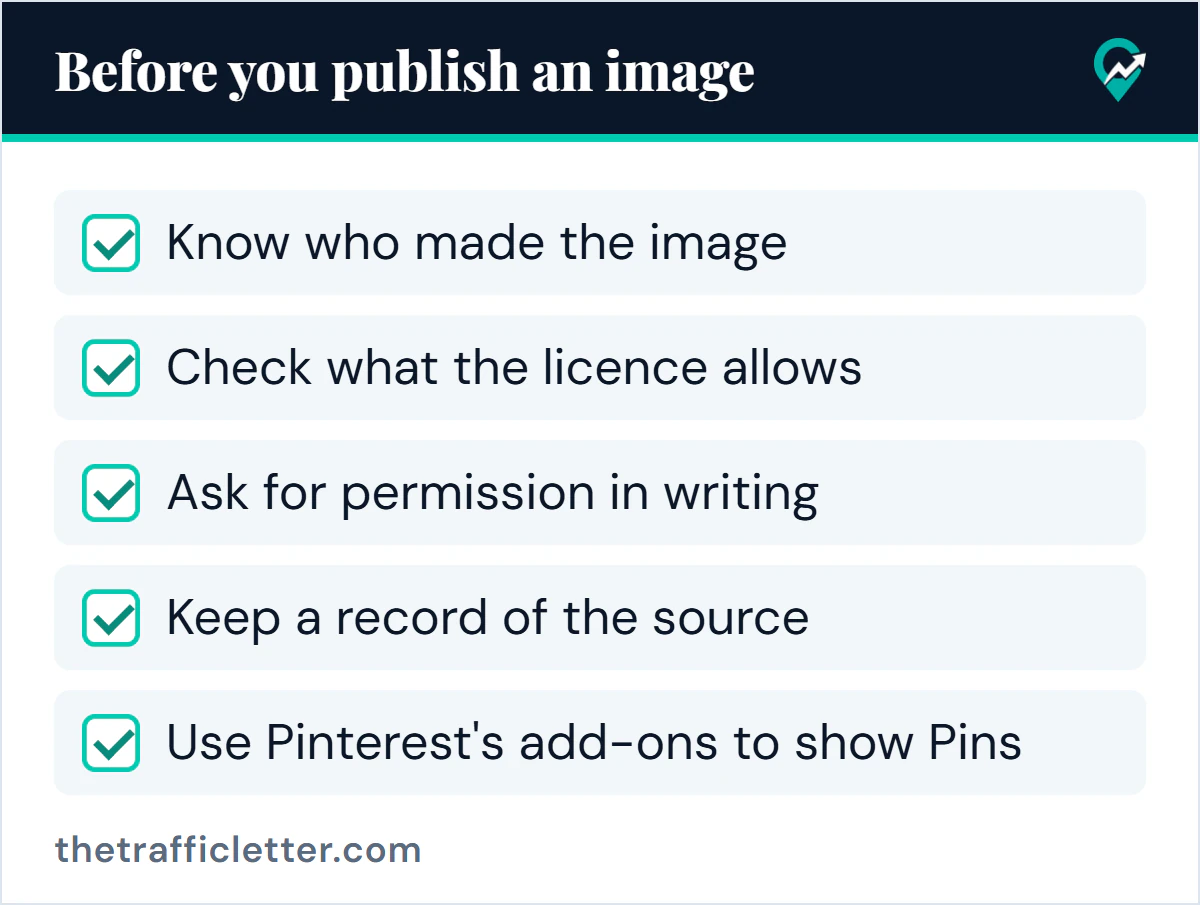
- Know who made the image
- Check what the licence allows
- Ask for permission in writing
- Keep a record of the source
- Use Pinterest’s add-ons to show Pins
Prompt: ask an image owner for permission
This prompt works in ChatGPT, Claude, Gemini or any AI assistant. It writes a short request from facts you supply. Fill in only what is true and send the message yourself.
Write a short, polite email asking the owner of an image for permission to use it on my website. Use only the facts below and do not add promises, legal claims or flattery I did not give. If a fact is missing, leave a visible gap.

Facts:
- Image owner or creator: [name or account]
- Where I found the image: [page URL]
- My website: [URL]
- How I would use it: [for example, in one blog post as a header image]
- How long I would use it: [for example, as long as the post is online]
- Credit I would give: [for example, name and link]
- Whether I would edit it: [yes or no, and how]

Ask whether they agree and what terms they would want. Under 120 words. Do not say that I already have permission.
Save the reply, so you have a record of the permission.
If someone uses your images
Pinterest’s copyright page says only the copyright owner, or someone authorised to act for the owner, can submit a copyright report, and it asks you to consider whether you are the owner before you do. The report uses a form, or goes to Pinterest’s designated copyright agent. If the work is an image, you can ask Pinterest to remove all Pins that contain the image, and Pinterest says it can only find and remove identical copies, not ones that were resized or altered. Pinterest also warns that knowingly false reports can carry legal liability. The same page describes the Content Claiming Portal, a tool that lets creators who own exclusive copyright to content claim it and decide whether and how it appears on Pinterest, after Pinterest reviews their application.
If one of your Pins is removed for copyright
If Pinterest removes content after a copyright report, it says it may notify the person who saved it, and that users whose Pins are removed receive strikes towards its repeat infringer policy. Too many reports can cost you the ability to save Pins or lead to the account being disabled. If you believe a removal was a mistake you can file a counter notification, which Pinterest forwards to the reporter, and it says reinstatement can take up to 14 business days if the reporter does not file a court action. You can also appeal a strike without asking for the content to be restored. Read the Copyright page before you act, since false counter notifications carry consequences too. If your account is already unavailable, our guide to appealing a suspended Pinterest account (opens in a new tab) sets out the routes Pinterest documents.
Right after: your next actions
- List the images on your last five posts and note the source and licence of each. Replace any you cannot document.
- If you make Pin images with an AI tool or a design app, read how AI tools help create Pin images (opens in a new tab) and check the tool’s own terms for commercial use.
- Claim your site so that Pins you publish from it appear in your analytics, as in our plan for getting traffic from Pinterest (opens in a new tab), and read the notes on running more than one Pinterest account (opens in a new tab) before you add a second one.