

A suspended Pinterest account stops you from posting and takes your Pins and boards offline, so the first question is what to do and in what order. This guide uses only Pinterest’s own pages: how it describes a deactivation, the appeal paths it documents and what it does not promise. It sits inside our full plan for getting traffic from Pinterest (opens in a new tab), because an account that is unavailable sends no traffic at all. Nothing here is legal advice, and nothing here is a way around Pinterest’s decisions.
What Pinterest means by a suspended account
Pinterest’s help page on this topic is titled Account deactivation. It says Pinterest may deactivate accounts that violate its Community Guidelines, and that you will see a deactivation notice when you try to log in. The login troubleshooting page uses the word suspended: if your account is suspended you will see an error message when you try to log in, usually because something on the account does not follow the community guidelines. Both words describe the same decision, and Pinterest’s Enforcement page says account removals are “also known as deactivations or suspensions”.
When Pinterest deactivates an entire account, the Enforcement page says all of its content, Pins and boards included, is deactivated too. It adds that before deactivating an account Pinterest may in certain circumstances place restrictions on it first, such as limiting its ability to post or save content. That means a drop in what you can do is not always the final step.
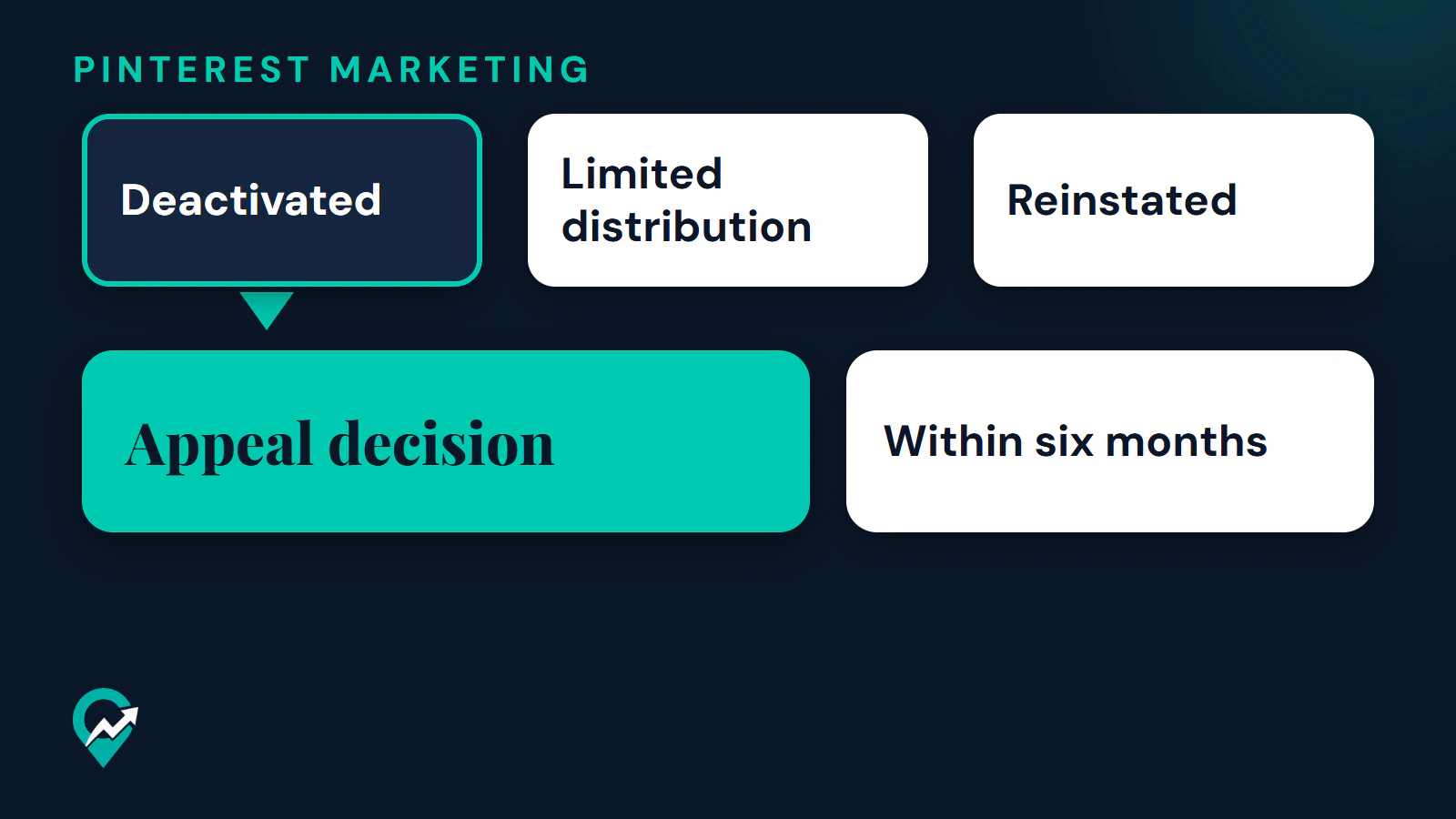
Two other outcomes look similar and are different. Pinterest’s status definitions in the Reports and violations center separate Deactivated, which means the content is no longer available to anyone, from Limited distribution, which means the content is still on Pinterest but is not featured in places like search results or the home feed. A Pin with limited distribution can still be opened by someone with a direct link.
Why Pinterest says accounts get deactivated
Pinterest says it checks content against its Community Guidelines through automated processes and human review. Pins, comments, photos, messages or accounts dedicated to policy-violating content can lead to deactivation. Its help page lists the areas where single or repeat violations can lead to it:
- Pinner safety, for example hateful speech, pornography, graphic imagery and misinformation.
- Account security, including impersonation and third-party logins.
- Spam.
- Intellectual property.
The Enforcement page adds that Pinterest may limit or remove accounts for repeated violations or when they are dedicated to a violation, and may remove an account after a single instance of a severe violation.
For bloggers, spam is the area most often in reach, so the current Community Guidelines on spam are worth reading in full. They tell you not to use automation Pinterest has not explicitly approved, not to create or operate accounts that are not authentic or create accounts en masse, not to create or save content that is repetitive, deceptive or irrelevant in an attempt to make money, not to operate multiple accounts or coordinate with other people to manipulate the platform, and not to buy or sell engagement or use irrelevant keyword stuffing. The guidelines also tell you not to link to sites that are unsafe, deceptive, untrustworthy or unoriginal.
What if the reason is not clear?
Many people search for “Pinterest account suspended for no reason”. The pages read show no way to see a reason before you appeal, and Pinterest does not publish the reasons for individual accounts. If you can still log in, the Reports and violations center lists the status, the violation and the last updated date for each violation. If you cannot log in, look for the notice and any enforcement email from Pinterest first. This guide does not guess a cause, and you should not either when you write to Pinterest.
Is it really a suspension?
Check these cases before you appeal, because each has a different fix in Pinterest’s pages.
| What you see | What Pinterest says | What to do |
|---|---|---|
| A password reset email and everyone logged out | If Pinterest notices strange activity, it sends an email, resets your password and logs everyone out | Reset your password, or log in with Google or Apple if the account is connected that way |
| An error that your login was blocked or you cannot save a Pin because of suspicious activity | Pinterest may have blocked activity from your IP address or area, and says to wait thirty minutes before trying again | Wait, then try again. Pinterest says most limits are removed automatically |
| Pins and boards missing, the account looks different | You may have created a second account by mistake, which is common after getting a new phone | Log out and search for your original account |
| You closed or deactivated the account yourself | In most cases you reactivate by logging in. A permanently closed account can be reactivated within 7 days of the close date | Log in, or reset your password |
| A deactivation notice or a suspension error | Pinterest deactivated the account for a Community Guidelines decision | Appeal, as described below |
Pinterest also says that if you create duplicate Pins, repeatedly saving the same ones or uploading content that already exists, you may be flagged as spam and temporarily blocked from creating Pins. That is a limit on creating Pins, not a deactivation, and our guide to how often to pin without repeating Pins (opens in a new tab) covers what counts as a fresh Pin.
How to appeal a suspended Pinterest account
Pinterest’s Enforcement page says appeals can be submitted in the product, through the Help Center, or by clicking the one-click appeal link in an enforcement notice email Pinterest sent you. It reviews appeals and may change its decision if it finds it made a mistake, or in some cases to give people another chance to follow its rules. It also says appeals may not be available in every product feature or place. Which path applies depends on whether you can log in.
If you cannot log in: the contact form
Pinterest’s account deactivation page says that if you think it should not have deactivated your account, you can get in touch with it, and that once you send a request it will take a look and get back to you. The words “get in touch with us” on that page are a link to Pinterest’s contact form. Use that link from the help page rather than a search result, so you reach the official form. For copyright and intellectual property appeals, the same page points to the Copyright policy.
If you can log in: the Reports and violations center
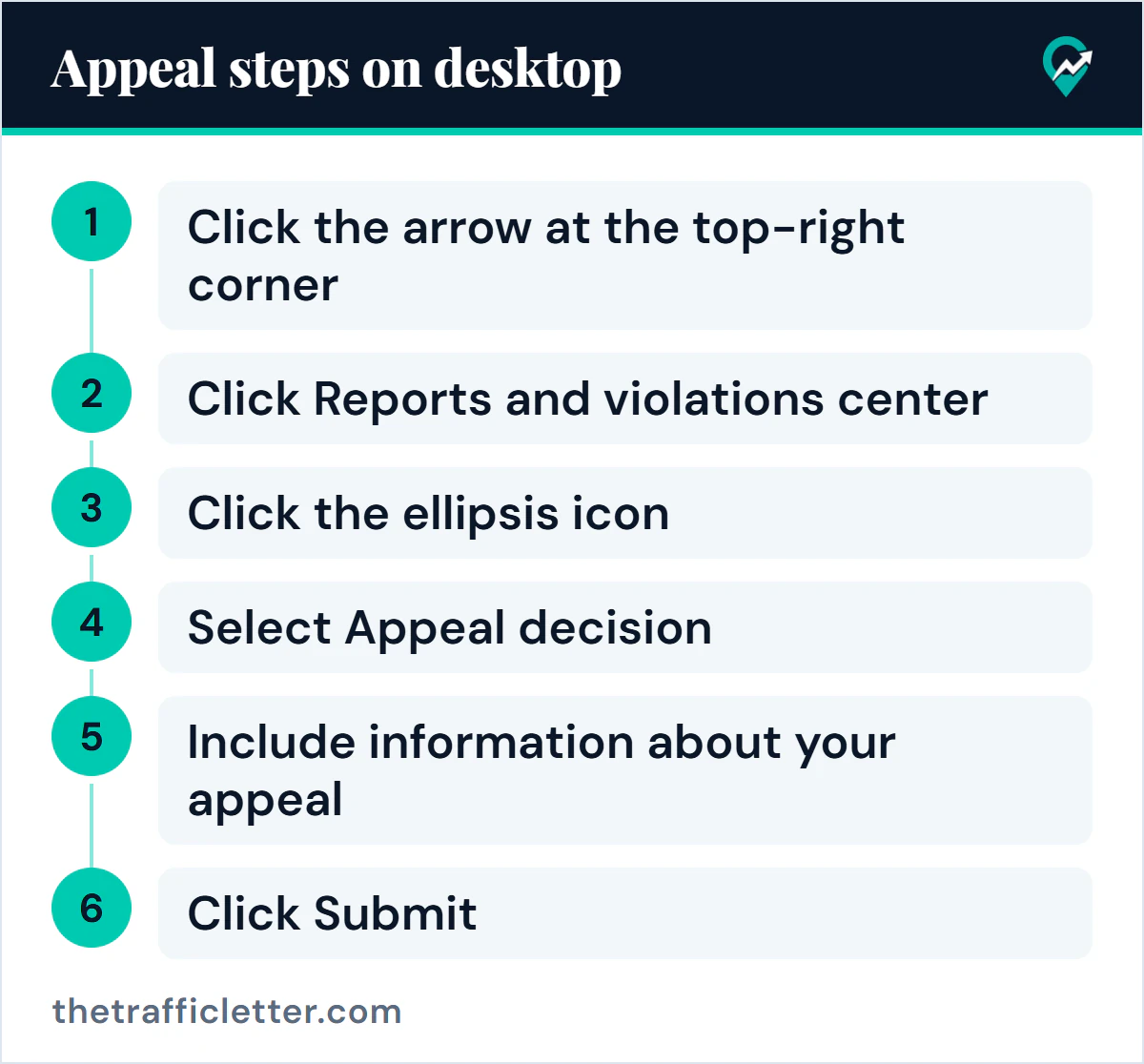
Pinterest’s help page on reviewing your reports and violations describes where an appeal starts when you can open your account. On desktop:
- Click the arrow at the top-right corner of the page, which Pinterest calls the chevron-down icon.
- Click Reports and violations center.
- Click the ellipsis icon to the right of the violation you want to appeal.
- Select Appeal decision.
- Include information about your appeal and attach any supporting documents if you like.
- Click Submit.
The app has the same item: Pinterest’s page gives a path through your profile picture and the icon at the top-right that it calls the nut icon, then Reports and violations center. After you submit, the page says you can view updates about your appeal in the same place.
Pinterest sets three limits on this route. You can appeal within six months of being notified of the decision. Each decision can only be appealed once. And appeals may not be available in every case. The Digital Services Act page repeats the six months for appeals through the center and adds that, in the European Union, you can also challenge such decisions before a court or contact a certified out-of-court dispute settlement body, whose decisions are not binding on you or on Pinterest.
From an enforcement notice email
If Pinterest emailed you a notice, the Enforcement page says the message may include a one-click appeal link. Use the link in a message you recognise as a real notice, and compare it with the paths above. If you cannot tell whether an email is genuine, go to the help page yourself instead of following a link.
What to put in an appeal
Pinterest gives no template and no length limit on the pages read, so the safest approach is plain facts. Say who you are (your username and the email on the account), what notice or status you saw and when, what you were doing with the account, and anything you changed since. Do not invent a cause, and do not blame Pinterest for something the notice does not say. The Terms of Service say you agree not to misuse the appeals channel by making baseless appeals, and the Enforcement page says Pinterest may limit how many appeals one person can submit for a period of one year, and how many times a decision can be appealed.
An AI assistant can help you organise facts you already have. This prompt works in ChatGPT, Claude, Gemini or any AI assistant. Fill in the square brackets only with what is true, and read the result against the notice before you send it.
I need to write a short, calm appeal message to Pinterest about my account being deactivated. Use only the facts below. Do not add reasons, accusations, promises, legal claims or details I did not give. If a fact is missing, leave a visible gap for me to fill.

Facts:
- Username: [your username]
- Account type: [personal or business]
- What I saw and when: [the notice or status you saw, and the date]
- What the account was used for: [one or two plain sentences]
- What I think may have triggered it, only if I know: [your answer or "I do not know"]
- What I have changed since: [for example, stopped using a scheduling tool, removed duplicate Pins]

Write the message in under 150 words, in a polite and factual tone. Ask Pinterest to review the decision. Do not mention deadlines or threaten anything.
Never include a password or login code in an appeal, whether you write it yourself or with an assistant.
How long does a Pinterest appeal take?
Pinterest does not say. The account deactivation page says it will take a look and get back to you. The Reports and violations page, the Enforcement page and the Terms of Service give no number of days and no promise of a result. Pinterest’s transparency reporting lists the median turnaround time for appeals as something it reports, but that is a statistic about past appeals and not a commitment about yours. Plan your content and traffic as if the account could stay unavailable for an unknown time, and keep your posts and images stored outside Pinterest.
What not to do while you wait
- Do not create a new account to replace the old one. The Terms of Service say that if Pinterest previously disabled your account for violating its terms, any of its policies or for legal reasons, you will not create a new account without its express written permission, given at its sole discretion. The spam guidelines also tell you not to create new accounts for the purpose of violating the guidelines. Our notes on rules for running multiple Pinterest accounts (opens in a new tab) explain what Pinterest allows in normal circumstances.
- Do not send many appeals for the same decision. Pinterest says it may limit appeals from people who repeatedly submit clearly unfounded ones.
- Do not look for ways around the decision, and do not buy or sell access to accounts. The Community Guidelines tell you not to attempt to buy or sell access to your account, boards or usernames.
When the problem is a copyright removal
Pinterest treats copyright removals separately. Its Copyright page says that if your account has content removed after too many copyright reports you could lose the ability to save Pins or have the account disabled, that people whose Pins are removed receive strikes towards its repeat infringer policy, and that you can file a counter notification if you think a Pin was removed by mistake. It also describes a way to appeal a strike without asking for the content to be reinstated. The page cautions that false or bad faith counter notifications carry legal and financial consequences. If this applies, read the Copyright page itself and our guide to using images from Pinterest on your site (opens in a new tab) before you act.
Reduce the risk of a deactivation
The checks below come from the spam guidelines and the pages on Pins read for this guide. None of them guarantees that an account is safe.
- Use only automation Pinterest has approved. Our notes on scheduling Pins with approved tools (opens in a new tab) cover Pinterest’s own scheduler and the partner route.
- Publish fresh Pins instead of repeating the same Pin many times.
- Skip tactics that promise followers or engagement fast. Our guide to tactics for earning followers safely (opens in a new tab) sets out what Pinterest’s guidelines rule out.
- Link only to your own pages and keep them safe and original. Pinterest says a safe domain follows its guidelines and avoids spam, suspicious reviews and unsafe images. Claiming your site is a separate step, covered in our domain claim steps for your blog (opens in a new tab).
- Use images you have the right to use.
- Keep one account per purpose and use a different email for any additional account.
- Add extra security. Pinterest lists two-factor authentication, connecting your account to Google and a password you do not use elsewhere as ways to protect an account.
Updates announced for 12 November 2026
Pinterest’s Community Guidelines, Terms of Service, Enforcement page and Privacy Policy each announce an update effective 12 November 2026 and link to a preview. In the preview of the Community Guidelines, the spam section is reorganised under headings such as Coordinated or scaled activity and Inauthentic account activity. It keeps the sentences on multiple accounts, unapproved automation and creating accounts en masse, and adds guidance on engagement manipulation. The previewed Enforcement page keeps the appeals paths and the limit on misuse. Check the guidelines again after that date, because this guide describes the pages as they read on 28 October 2026.
Right after: your next actions
- Find the notice or the enforcement email and check whether you are dealing with a suspension, a protected account or a suspicious-activity limit.
- Use the appeal path that matches your situation, once, with plain facts.
- While you wait, store your Pin images and links outside Pinterest, and review the habits in the list above so the same thing does not happen again.