

Amazon Associates and Pinterest each set their own rules, and the two sets have to fit together before the first Pin goes live. This guide reads Amazon’s own Associates pages and Pinterest’s policies, and belongs to our overview of ways to make money with Pinterest (opens in a new tab). The order of work for any program is in the step by step affiliate guide for beginners (opens in a new tab).
Can you use Amazon affiliate links on Pinterest?
Two answers apply, one from each side.
Pinterest allows affiliate links. Its creator page says you can tag Pins using affiliate links to earn commission when people click through and shop, that you first need to join an affiliate program, and that Pinterest isn’t part of the affiliate agreements.
Amazon decides where its own links may appear. Its Operating Agreement says the Associates Program lets you monetize your “website, social media user-generated content, online software application, or Alexa skill”, which it calls your Site. Its Program Policies say you must identify your Site(s) in your application, and that you will not create links formatted with your Associates tag for, or display such links on, a site that is not your Site.
Amazon’s Application Review Process help page then says which social networks it accepts. It reads: “We currently only accept the following social networks: Facebook (including open group pages and fan pages, but excluding personal pages), Instagram, Twitter, YouTube, Tik Tok and Twitch.tv.” Pinterest is not on that list. The help page carries no date, so the list may change.
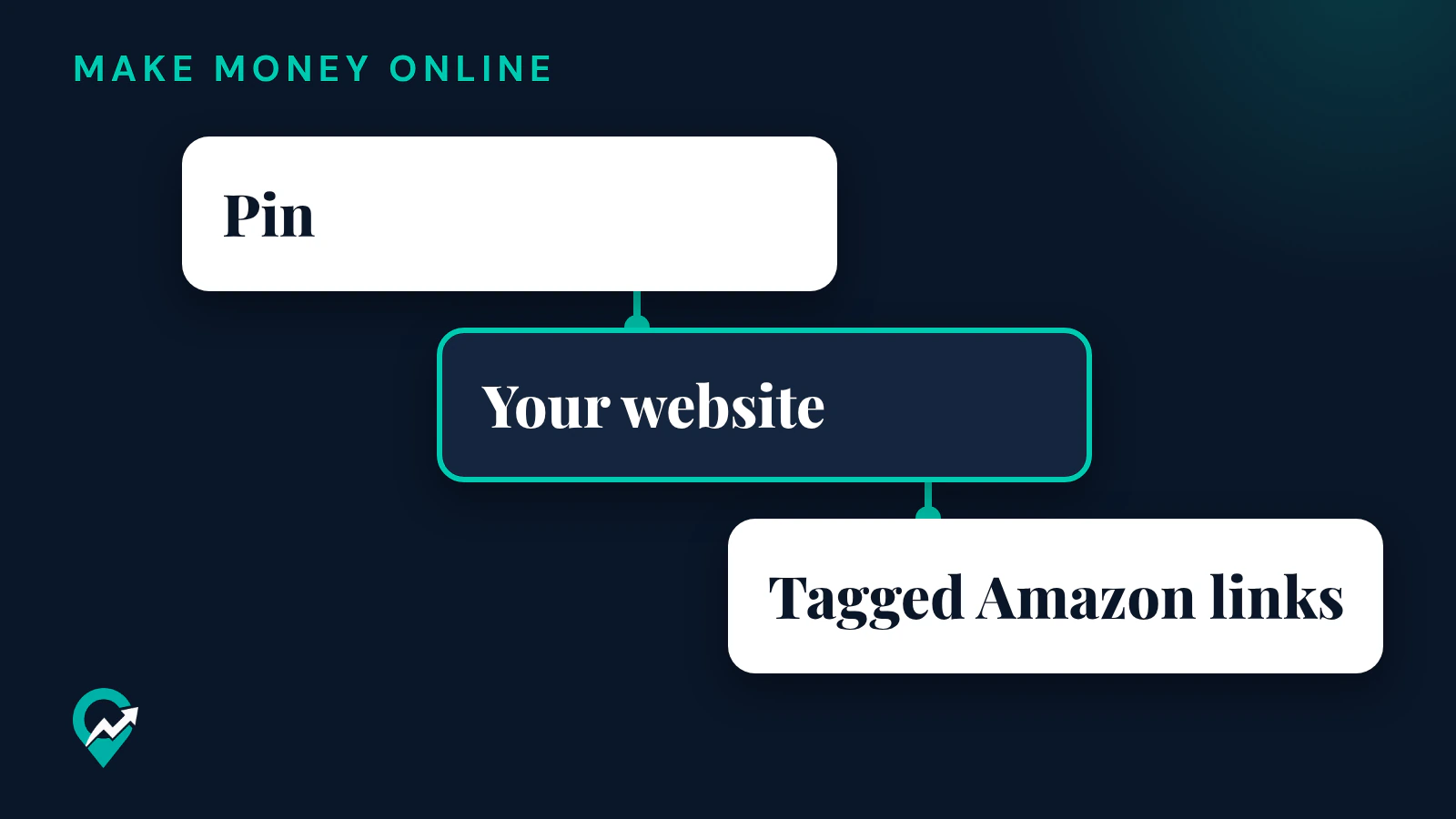
Put together, the pages read for this guide support one route without doubt: your own website is the Site you declare to Amazon, the tagged Amazon links sit on your website, and your Pins send people to it. If you want to link Pins straight to Amazon, ask Amazon Associates through its Contact us page first and keep the written answer.
What Amazon checks before it approves you
Amazon’s help page describes the review. It says the Associates team checks your application once you have driven qualified sales, at least three within the first 180 days, and that personal orders do not qualify. It then checks every Site you provided.
| What Amazon checks | What its help page says |
|---|---|
| Content | All Sites must have robust original content, even when advertising is removed. A good rule of thumb is at least 10 posts. |
| Access | Sites must be publicly available, not a closed group or behind a paywall. |
| Websites | Content must be recent, generally within the last 60 days, and you must own your website. |
| Social network pages | Only the networks it lists, established, with a substantive number of organic followers, in most cases at least 500. |
| Links | The special “tagged” links must be embedded in your Amazon product links on the Sites declared in your application. |
The help page also says Amazon cannot reassess an application once it has been rejected, and asks you to keep your Site list updated so that it reviews the right traffic sources. Write the posts first, then apply: a blog with a handful of thin posts is the kind of Site the page describes as rejected for unoriginal content or lack of content.
How the Pin, the post and the Amazon link fit together
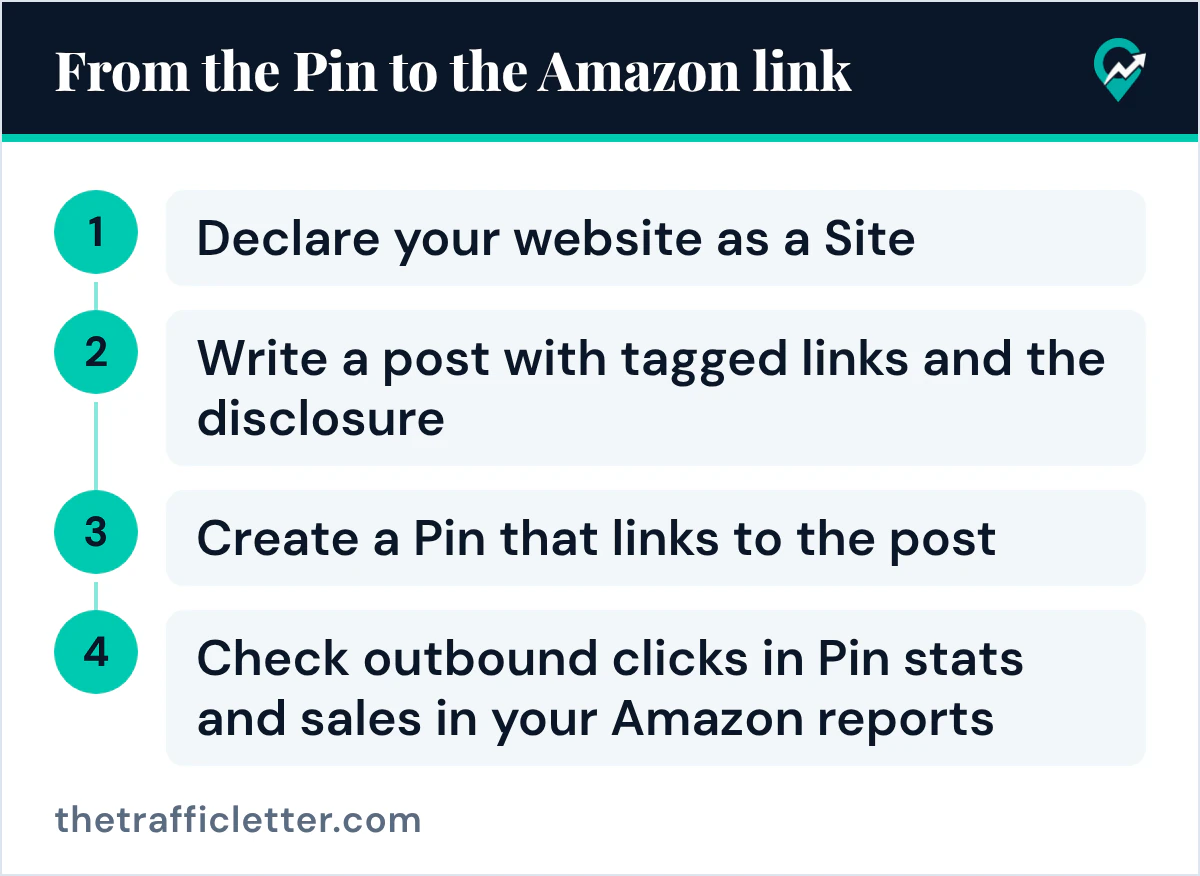
The route has four steps, and each one leans on a rule quoted above.
- Declare your website as a Site in your Associates application.
- Write a post with tagged links and the disclosure.
- Create a Pin that links to the post.
- Check outbound clicks in Pin stats and sales in your Amazon reports.
Step 1: declare your website
List the exact URL of your blog in the application. Amazon’s help page asks for the exact URL of social pages too, not only the network’s domain, so apply the same care to every Site you list.
Step 2: write the post that carries the links
The post does the selling work. A useful post explains why each product fits a need: a comparison, a tutorial that uses the product, or a list with your own reasoning. Amazon’s help page says it looks for a site that gives the customer insight on a subject or product they might not get easily, and Pinterest’s affiliate guidelines ask for affiliate content that is original and adds unique value for Pinners. Both point to the same kind of page.
Use the special “tagged” links Amazon provides in your account. Amazon’s help page says applications are rejected when those tags are missing from the Amazon links on the declared Sites.
Step 3: create the Pin
Pinterest’s creator page says the link field is on the “finishing touches” editing page and that outbound clicks on the link are tracked in your Pin stats. Put the URL of your post in that field. Write the Pin title and description around the phrase people search, as in our guide to Pin descriptions that get found (opens in a new tab), and make the image show the product in use.
Step 4: measure both sides
Pinterest’s Pin stats page defines Outbound clicks as the total number of clicks to the destination URL of your Pin, so they count the clicks to your post. Amazon’s own reports show what happened after the click. Amazon’s home page says commission income for qualifying purchases differs by product category and is paid approximately 60 days after the end of the month in which it was earned, so judge results over months, not days.
Disclosure on the post and on the Pin
Amazon’s Operating Agreement asks you to state clearly and prominently, on your Site, the following sentence or a substantially similar statement previously allowed under the agreement:
As an Amazon Associate I earn from qualifying purchases.
Its Program Policies also ask you to display links in compliance with applicable laws, including those related to disclosures, and name the U.S. FTC guides on endorsements as an example where they apply.
On Pinterest, the affiliate guidelines ask you to be transparent about the commercial nature of your content and about your links and their behavior, and to follow the paid partnership guidelines, which give the use of #ad as an example of a clear disclosure. A short line at the start of the Pin description, and Amazon’s sentence near the links on your post, cover both sides. Where to place it on a Pin is covered in our guide to Pinterest affiliate link and disclosure rules (opens in a new tab). This is general information, not legal advice.
Link rules on both sides
- Amazon’s Program Policies say you will not use a link shortening service, button, hyperlink or other ad placement in a manner that makes it unclear that you are linking to an Amazon Site.
- Pinterest’s commercial guidelines say some shortener services are not currently supported on Pinterest, and that you can edit a Pin whose link is blocked.
- Pinterest’s Community Guidelines ask for a “no surprises” principle: Pinners should be able to reasonably anticipate where your link will take them.
A Pin that links to your own post, with the plain post URL, meets all three. The Amazon links stay inside the post, where the reader sees the product and the disclosure together.
Mistakes named on Amazon’s pages
These come from Amazon’s own pages, not from this guide’s opinion:
- An Amazon trademark, or a variant or misspelling of one, in a username or other identifier on any social networking site. The Program Policies list it among the reasons a Site is unsuitable, so keep the word Amazon out of your Pinterest username.
- Offline promotion. The policies say you will not use Special Links in printed material, an ebook, a mailing or an oral solicitation.
- Incentives. The help page says you cannot offer any person or entity any consideration, reward or incentive for using your links.
- Counting your own orders. The help page says personal orders do not qualify.
Pinterest’s affiliate guidelines add their own list: no fake accounts to create or save your affiliate links, no quid pro quo saves, and no creating affiliate Pins repetitively or in large volumes.
A prompt for the Pin text
An AI assistant can draft the Pin title and description once the post exists. The prompt works in ChatGPT, Claude, Gemini or any AI assistant.
I wrote a blog post that recommends Amazon products: [post title and URL].
The products and why I recommend them: [short notes].
My main keyword: [your main keyword].
Write 3 Pinterest Pin titles and 3 Pin descriptions for this post.
Each description starts with a short disclosure such as "#ad" or "Affiliate links".
Use the main keyword once in each title and once in each description, in a natural sentence.
Describe what the post helps the reader do. Do not promise results, prices or earnings.
Check every draft against the post before you use it: a Pin that promises something the post does not deliver breaks the “no surprises” principle.
Right after
- Write or update the post your first Amazon Pins will link to, with tagged links and Amazon’s disclosure sentence.
- Compare Amazon’s terms with other programs in our overview of affiliate programs that fit Pinterest (opens in a new tab).
- If you have no website yet, read how affiliate Pins work without a blog (opens in a new tab) before you choose a program.