

Seeing an affiliate Pin is easier than reading a rule about one. This guide builds examples on the Pin formats that Pinterest Create describes, then shows how to create each Pin in a way that fits Pinterest’s affiliate guidelines. It is part of our guide to earning money on Pinterest (opens in a new tab), and the step that comes before it is choosing what to promote in the first steps of Pinterest affiliate marketing (opens in a new tab).
The sample titles and descriptions below are illustrations written for this guide. They are not real Pins, and no result is claimed for them.
What makes an affiliate Pin work
Pinterest Create’s page on content says the best Pins show an idea rather than only tell it. For an affiliate Pin, that means the product in use, in a real setting, rather than a product shot with a price.
Pinterest’s affiliate guidelines add the conditions every example has to meet: affiliate content should be original and add unique value for Pinners, and you should be transparent about the commercial nature of your content and about your links and their behavior. The Community Guidelines ask for a “no surprises” principle, so a person can reasonably anticipate where your link will take them.
Every example below follows the same pattern:
- An image or video that shows the product doing its job.
- A title that names the product type and the use.
- A description that opens with the disclosure and says who the product suits.
- A link that goes where the Pin says it goes.
Example 1: the instructional Pin
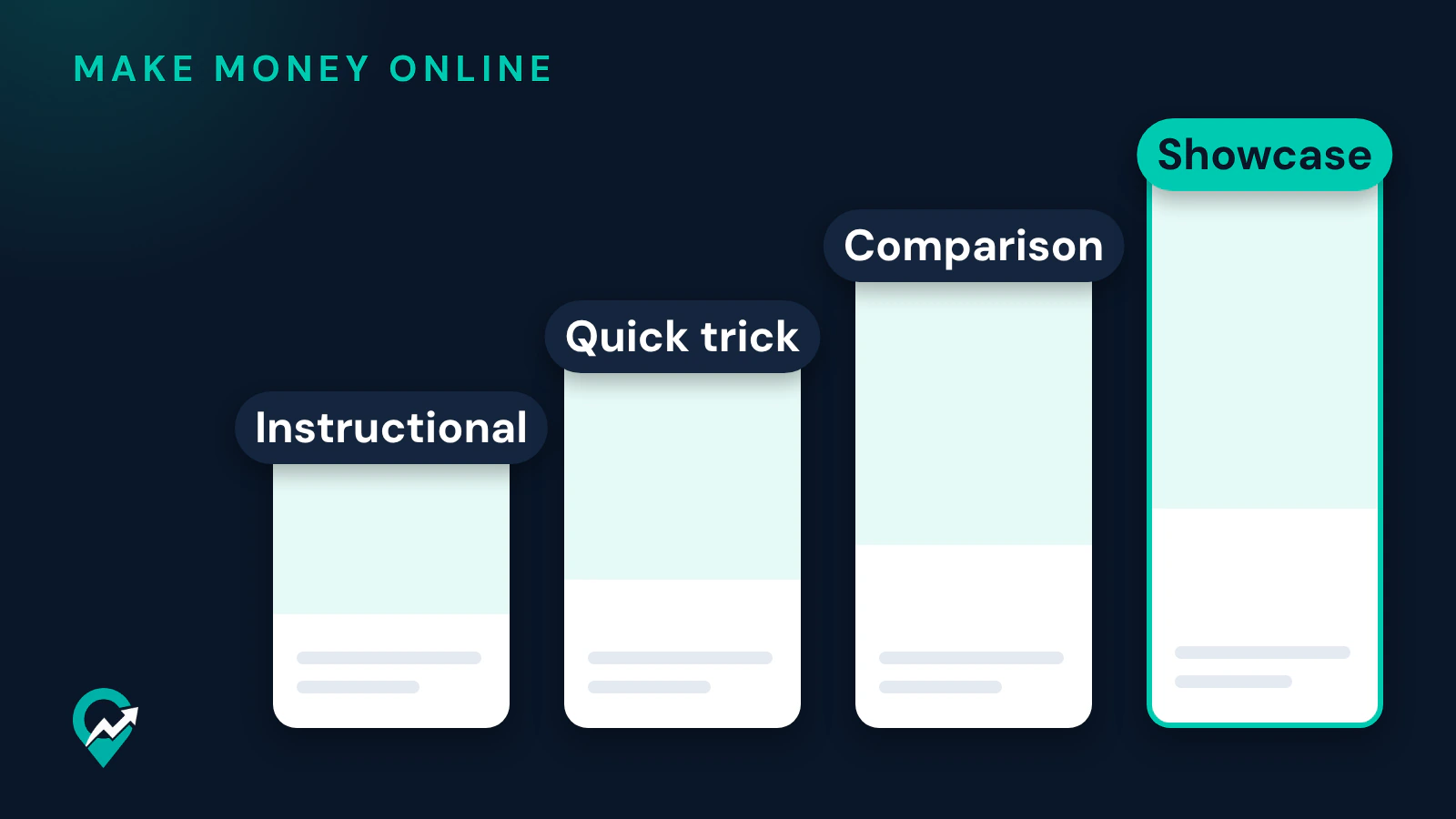
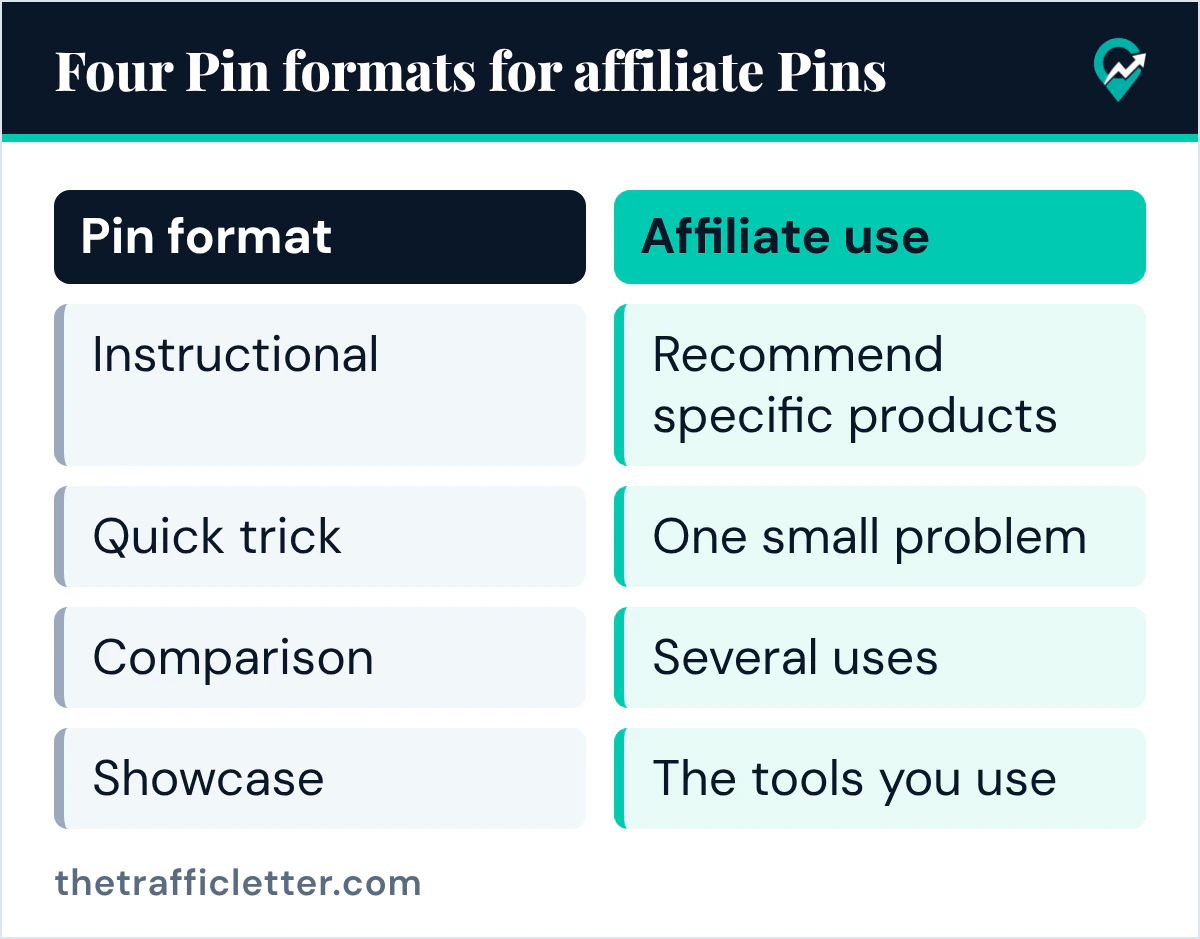
Pinterest Create describes instructional Pins as ones that teach new skills, provide tutorials or recommend specific products. This format fits affiliate work directly, because the products are part of the lesson.
Sample wording, written for this guide:
Title: How to Organize a Small Pantry with Clear Bins
Description: I earn a commission if you buy through this link. A five-step pantry layout for a small kitchen, with the bin size that fits each shelf. The link goes to the bins on the shop's page.
What to show: the shelves before and after, with the bins visible. Put the steps on your page or in the description, and keep the product as one part of the method.
Example 2: the quick trick Pin
Pinterest Create calls a quick trick a simple format for an idea that won’t take much time to explain. It suits a single, cheap product that solves one small problem.
Title: A Faster Way to Wrap Cables Behind a Desk
Description: I earn a commission if you buy through this link. One reusable strap per cable keeps the back of the desk tidy. The link opens the strap pack on the shop's page.
What to show: one image or a short video of the trick done once. Pinterest Create’s video advice says to start with a takeaway or useful tip in the first seconds rather than a long intro.
Example 3: the comparison Pin
Pinterest Create describes comparison Pins as showing multiple ways to use the same ingredient, product or object, and names fashion, home decor and recipe ideas as places to apply the format.
Title: One Linen Shirt, Three Summer Outfits
Description: I earn a commission if you buy through this link. The same shirt worn with shorts, with a skirt and over a swimsuit. The link goes to the shirt on the shop's page.
What to show: the variations side by side, so the comparison reads at a glance. Make it clear why one product covers several uses.
Example 4: the showcase Pin
Pinterest Create describes a showcase as recording yourself while you create something, to show off your skills and let other people learn from the process. For affiliate work, the tools you use become the products you recommend.
Title: Painting a Small Abstract Canvas with Five Brushes
Description: I earn a commission if you buy through this link. A short video of the full process, with the brush set and canvas shown in the video. The link goes to the brush set.
What to show: the process from start to finish, with the tools in frame. A faceless showcase works too: hands and materials are enough.
How to create an affiliate Pin on Pinterest
Pinterest’s creator page says you first need to join an affiliate program before using affiliate tags, and that Pinterest isn’t part of the affiliate agreements. Once you have your link, Pinterest’s help page on creating a Pin gives these fields on the web:
- Click Create at the top-left of your screen. With a business account, select the hamburger icon, then under Create select Create Pin.
- Click the arrow-circle-up icon to select an image or video, or drag and drop it into the upload window.
- Add a Title, a Description and the Link to the page where you recommend the product, or to the product itself.
- Choose a Board, and use Tag related topics to add up to 10 related topics.
- Click Publish.
Pinterest’s creator page also describes tagging products with the product sticker and tagging Pins using affiliate links. Whether your account offers it was not confirmed for this guide, so use the Link field when you do not see the option.
Specs to keep in mind come from Pinterest’s creative best practices page for ads: a 2:3 aspect ratio, or 1000 x 1500 pixels, a title of up to 100 characters with the first 40 most likely to show, and a description of up to 800 characters. The page also suggests stacking your story, with visuals in the middle, key messaging at the top and extra details at the bottom. For the wording itself, our Pin description writing guide (opens in a new tab) gives formulas, and finding the phrases Pinterest users search (opens in a new tab) comes before the title.
The disclosure in every example
Each sample description starts with “I earn a commission if you buy through this link.” Pinterest’s affiliate guidelines tell you to follow its paid partnership guidelines, and those say all paid partnerships must disclose the commercial nature of their content, giving #ad and Pinterest’s paid partnership tool as examples. Putting the sentence first means a reader sees it before tapping the link. The full rules on where the disclosure goes are in our guide to how Pinterest handles affiliate links (opens in a new tab). This is general information, not legal advice.
A prompt to turn a product into four Pin ideas
I am an affiliate for [product name] in the [your niche] niche. My audience: [who they are].
Write four Pinterest Pin ideas for this product, one per format: instructional, quick trick, comparison, showcase.
For each idea give:
- A title of up to 100 characters, with the main keyword [your main keyword] in the first 40 characters.
- A description of up to 800 characters that starts with "I earn a commission if you buy through this link."
- One sentence on what the image or video should show.
Use only the product facts I give you here: [facts you have checked]. Do not invent prices, results, reviews or earnings.
It works in ChatGPT, Claude, Gemini or any AI assistant. Keep the ideas you could really photograph or film, and drop the rest.
How to tell which example works for you
Pinterest’s Pin stats page says you will always see Impressions, Saves, Pin clicks and Outbound clicks, and product tag metrics when a Pin has tagged products. Outbound clicks are the number to watch for an affiliate Pin. The Pinterest pages read for this guide do not describe sales or commission reporting, so check those in your affiliate program’s own reports.
Pinterest’s affiliate guidelines give creating affiliate Pins repetitively or in large volumes as an example of prohibited behavior. Test one Pin per format, each with its own image and text, rather than many copies of one idea.
Right after
- Pick one product and write the four Pin ideas with the prompt above.
- If your niche is not settled yet, read how to choose a Pinterest affiliate niche (opens in a new tab) first.
- Starting without a site? See how affiliate Pins work with no blog behind them (opens in a new tab).