

Google publishes its own SEO advice for site owners, and most of it fits a blog. These SEO tips for bloggers come from Google Search Central’s pages, grouped by when you use them: getting the blog found, writing each post, and looking after the whole blog. How each post is written step by step is in our blog writing for SEO guide (opens in a new tab), and how the same posts can rank on Pinterest is in our guide to Pinterest search rankings (opens in a new tab).
Before the tips: what to expect from SEO
Google’s starter guide describes SEO as helping search engines understand your content, and helping users find your site and decide whether to visit it through a search engine. It also says there are no secrets that will automatically rank your site first in Google.
Time matters too. The starter guide says some changes might take effect in a few hours and others could take several months, and that you likely want to wait a few weeks to assess whether your work had beneficial effects. Change one thing, note the date, and judge it weeks later rather than the next morning.
Tips to get your blog found
Check whether Google already has your blog
The starter guide asks you to start here, because you may not need to do anything. Search Google for your site with the site: search operator, for example site:yourblog.com. If you see results pointing to your site, it is in the index. If you don’t, the guide points to Google’s technical requirements.
The guide also says Google primarily finds pages through links from other pages it already crawled, and that you can encourage people to discover your content by promoting your site. Our guide on ways to bring readers to a new blog (opens in a new tab) covers the channels that bring the first readers.
Submit a sitemap when your blog needs one
A sitemap is a file that lists the URLs on your site that you care about. Google’s starter guide says some content management systems may create it automatically and that it isn’t required. Google’s sitemap page says you might not need one if your site is “small”, which it defines as about 500 pages or fewer, is comprehensively linked internally and has few media files or news pages you want to show in search results. You might need one if your site is new and has few external links to it.
Check how Google sees a post
The starter guide says Google should ideally see a page the same way an average user does, so it needs access to the same resources, like CSS and JavaScript. To check how Google sees your page, it points to the URL Inspection Tool in Search Console.
Tips for each post you write
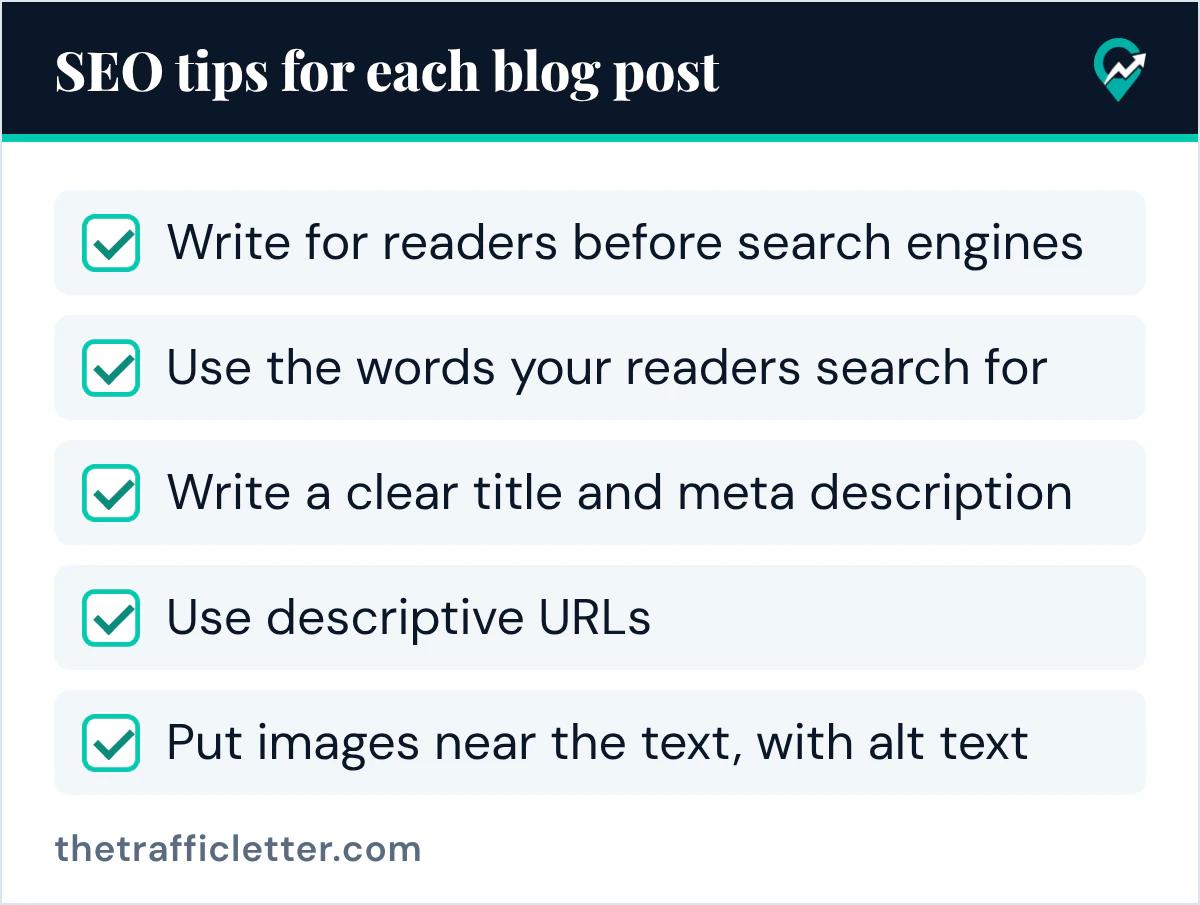
Write for readers before search engines
The starter guide says creating content that people find compelling and useful will likely influence your website’s presence in search results more than any of its other suggestions. It lists what such content shares: easy to read and well organized, unique, up to date, and helpful, reliable and people-first.
Google’s helpful content page adds warning signs of search engine-first content. Among them: writing to a particular word count because you think Google prefers one (“No, we don’t.”), mainly summarizing what others have to say without adding much value, and entering a niche without any real expertise because you thought you’d get search traffic. If a post would fail those questions, rework it before you publish. To decide which posts to write first, use our content plan built around topic hubs (opens in a new tab).
Use the words your readers search for
The starter guide asks you to think about the words a user might search for, and notes that people who know a topic well may use different keywords than beginners. Its example: some users search for “charcuterie”, others for “cheese board”. Use your readers’ words in the post. The guide adds that you don’t need to anticipate every variation, because Google’s language matching systems can understand how a page relates to many queries.
Write a clear title and meta description
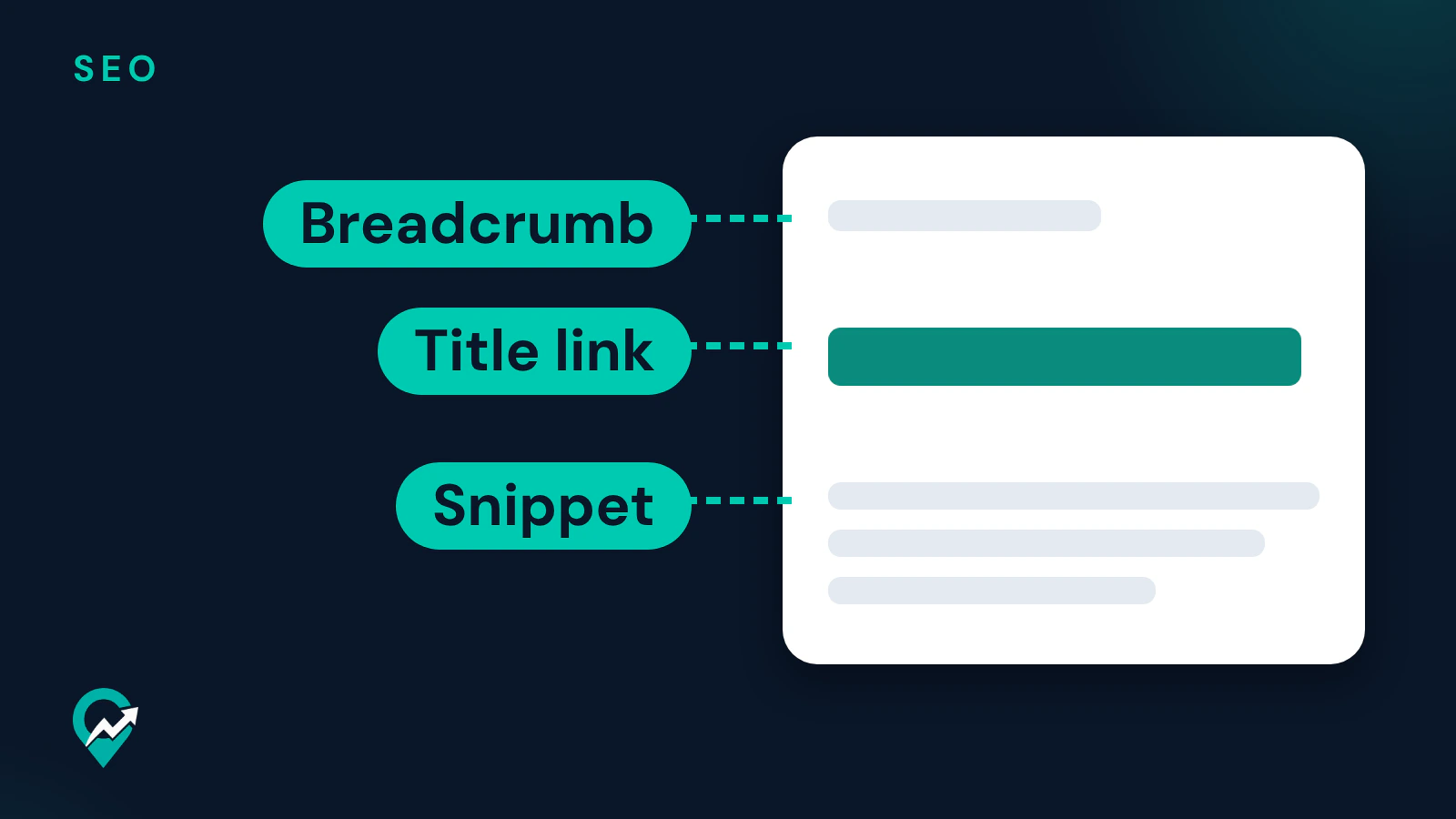
The starter guide says the title link is the headline part of a search result, and that Google builds it from sources including the words inside the title element and other headings on the page. A good title is unique to the page, clear and concise, and accurately describes the contents of the page.
Below the title link comes the snippet. The guide says it is sourced from the actual content of the page, and occasionally from the contents of the meta description tag. A good meta description is short, unique to one particular page, and includes the most relevant points of the page.
Use descriptive URLs
The starter guide says parts of a URL can appear in search results as breadcrumbs. It asks for words that may be useful for users, such as www.example.com/pets/cats.html, and says a URL with only random identifiers is less helpful. Set your blog to use the post name in the URL before you publish.
Write good link text and link to related posts
The starter guide says link text, also called anchor text, tells users and Google something about the page you’re linking to. It also says the vast majority of the new pages Google finds every day are found through links. Link each new post from older posts on the same topic, with link text that names what the target post covers.
Put images near the text, with alt text
The starter guide asks for sharp, clear images placed near text that is relevant to them. Google’s image guide calls alt text the most important attribute when it comes to providing more metadata for an image, says short descriptive file names give Google very light clues about the subject, and warns that filling alt attributes with keywords may cause your site to be seen as spam.
Tips for the whole blog
Keep posts up to date
The starter guide asks you to check in on previously published content and update it as needed, or even delete it if it’s not relevant anymore. Google’s helpful content page lists, as a warning sign, changing the date of pages to make them seem fresh when the content has not substantially changed. Update the post first, then the date.
Mark paid links and comment links
Google’s page on qualifying outbound links asks you to mark links that are advertisements or paid placements with rel=“sponsored”, and recommends marking user-generated content links, such as comments and forum posts, with rel=“ugc”. The starter guide adds that if you accept comments, every link users post should get a nofollow or similar annotation added by your CMS.
Keep ads from getting in the way
The starter guide asks you not to let ads become overly distracting or prevent your users from reading your content. Google’s page experience page lists self-assessment questions, including whether your pages have good Core Web Vitals, are served in a secure fashion, display well on mobile devices and avoid intrusive interstitials. Google’s Core Web Vitals page gives the targets for a good user experience: Largest Contentful Paint within the first 2.5 seconds, Interaction to Next Paint of less than 200 milliseconds and Cumulative Layout Shift of less than 0.1.
Set up Search Console
Google’s Search Console page says the tool provides information on how Google crawls, indexes and serves websites. Its first steps are to verify site ownership, make sure Google can find and read your pages, consider submitting a sitemap and monitor your site’s performance in the Search performance report. It says there is no need to sign in every day, and suggests checking around once every month or when you make changes to the site’s content.
What Google says not to focus on
Near its end, the starter guide gives a list of things Google believes you shouldn’t focus on. For bloggers, these are the useful ones:
- Meta keywords: the guide says Google Search doesn’t use the keywords meta tag.
- Keyword stuffing: excessively repeating the same words is tiring for users and against Google’s spam policies.
- Keywords in the domain name or URL path: alone, they have hardly any effect beyond appearing in breadcrumbs.
- Minimum or maximum content length: the guide says the length of the content alone doesn’t matter for ranking purposes. Our guide to blog post length for SEO (opens in a new tab) covers this in detail.
- Number and order of headings: semantic order helps screen readers, but the guide says it doesn’t matter for Google Search if headings are out of order.
- E-E-A-T as a ranking factor: the guide answers “No, it’s not.”
An AI prompt to check a post against these tips
This prompt works in ChatGPT, Claude, Gemini or any AI assistant. Google’s AI guidance asks you to factcheck and review AI-generated content for accuracy before publishing, so treat the answer as a list to check, not as edits to paste.
Here is a blog post: [paste the title, meta description, URL and text]. The reader question it answers is: [question]. Check it against these points and answer with one line per point, saying "OK" or what to change: 1) the title is unique, clear, concise and describes the post; 2) the meta description is short and gives the most relevant points; 3) the URL uses words useful to readers; 4) link texts say what the linked page covers; 5) each image has descriptive alt text without keyword stuffing; 6) the post uses the words a reader would search for; 7) any paid link is marked rel="sponsored". Do not rewrite the post.Right after
- Apply the tips to your next post with our step by step SEO writing process (opens in a new tab).
- Running a recipe site? Read our guide to SEO for food bloggers (opens in a new tab) for Recipe structured data and photos.
- Bring readers from Pinterest too, with our guide to Pinterest traffic for blog posts (opens in a new tab).