

A content strategy decides what your blog publishes before you write a single post. This guide builds one from Google Search Central’s own pages: who the posts are for, which searches they answer, how they connect and how you check them. How to write each post is in our writing method for one blog post (opens in a new tab), and the Pinterest side of search is in our explainer on Pinterest search ranking (opens in a new tab).
What an SEO content strategy is
Google’s SEO starter guide describes SEO as helping search engines understand your content and helping users find your site and decide whether to visit it. A content strategy is the plan behind that work for a blog. It answers five questions in writing: who the blog is for, which searches those readers make, which post answers each search, how the posts link to each other, and when you check and update them.
The starter guide is clear about where to put the effort. It says that creating content people find compelling and useful will likely influence your website’s presence in search results more than any of the other suggestions in the guide. A strategy built on Google’s pages is a plan for useful posts, in an order that makes sense.
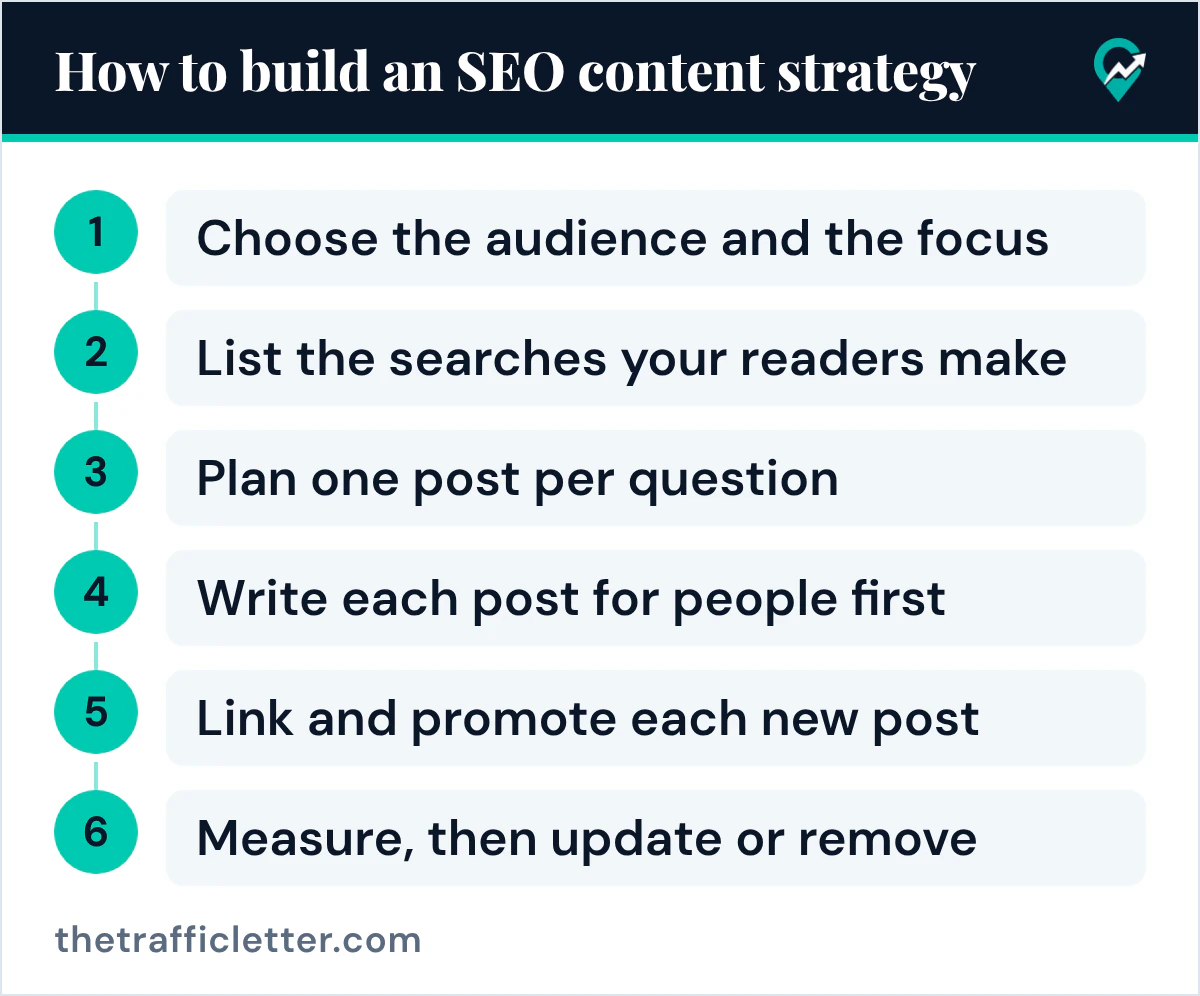
How to build an SEO content strategy in six steps
Each of the six steps below draws on one or more of Google’s pages: the audience, the searches, the plan, the writing, the links and the checks.
Step 1: Choose the audience and the focus
Google’s helpful content page lists questions that point to people-first content. Two of them shape the whole plan: “Do you have an existing or intended audience for your business or site that would find the content useful if they came directly to you?” and “Does your site have a primary purpose or focus?”
Write one sentence that answers both, for example: “This blog helps [type of reader] with [one problem].” Keep it next to the plan. The same page lists a warning sign that applies here: deciding to enter some niche topic area without any real expertise, mainly because you thought you would get search traffic. Choose a topic you know or can research properly.
Step 2: List the searches your readers make
Google’s starter guide asks you to think about the words that a user might search for to find a piece of your content. It notes that users who know a lot about a topic might use different keywords than someone new to it, and gives the example of “charcuterie” and “cheese board”. It also says not to worry if you don’t anticipate every variation, because Google’s language matching systems can understand how your page relates to many queries.
Start a list of reader questions. Useful places to look are the “how to”, “what is” and “which one” searches of your topic, the questions readers ask you, and, once your blog has traffic, the queries in Search Console. For the Pinterest side, our routine for collecting reader search phrases (opens in a new tab) walks through where to collect them.
Step 3: Plan one post per question, grouped by topic
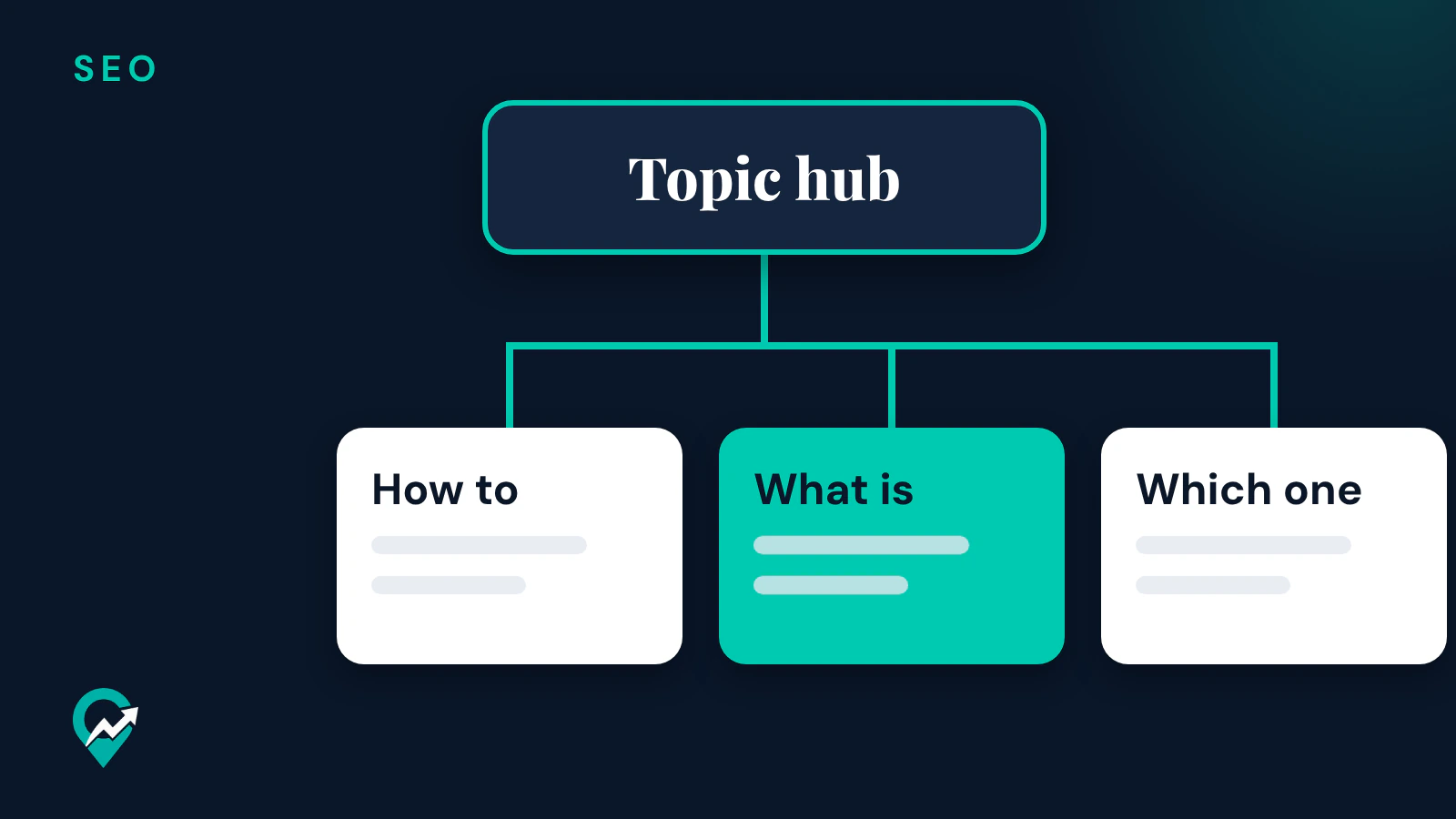
Give each reader question its own post, and group close posts under one topic hub: a main guide that links to each post of the group. The starter guide says organizing a site in a logical way can help search engines and users understand how your pages relate to the rest of your site. It also asks for descriptive URLs, with words that may be useful for users, such as www.example.com/pets/cats.html.
One post per question also avoids two posts that say the same thing. The starter guide says that having two pages with the same information can be a confusing user experience, and that you can redirect a non-preferred URL to the one that best represents the information. When two of your posts answer the same question, merge them into the better one.
The starter guide adds that grouping similar topics in directories matters for crawling when a site has more than a few thousand URLs. The same section says not to drop everything and start reorganizing your site right now, because search engines will likely understand your pages as they are.
Step 4: Write each post for people first
Google’s helpful content page lists quality questions to ask of every post, among them: does it provide original information or analysis, does it give a substantial, complete or comprehensive description of the topic, and does the main heading give a descriptive, helpful summary of the content? It also lists, as a warning sign, writing to a particular word count because you heard Google has a preferred one, and answers “No, we don’t.” How much to write for each question is in our guide to choosing the length of a blog post (opens in a new tab).
If AI helps with research or outlines, Google’s guidance on generative AI content says it can be useful when researching a topic and to add structure to original content. It asks you to manually fact-check and review all AI-generated content before publishing, including the title, the meta description and the image alt texts.
Step 5: Link and promote each new post
Google’s link page says every page you care about should have a link from at least one other page on your site, and that good anchor text is descriptive, reasonably concise and relevant. In the plan, that means each post links to its topic hub, the hub links to each post, and close posts link to each other in the text where it helps the reader.
The starter guide says the vast majority of the new pages Google finds every day are found through links. It also says that promoting new content leads to faster discovery by people interested in the same subject and by search engines, and it lists social media promotion and community engagement among the ways to do it. A Pin for each new post is one way: our guide to sending Pinterest readers to new posts (opens in a new tab) covers it. The same section warns that you can overdo promotion: people may get fatigued, and search engines may see some practices as manipulation.
Step 6: Measure, then update or remove
Google’s Search Console page says the Search performance report shows how much traffic you get from Google Search, with breakdowns by queries, pages and countries, and trends for each breakdown. It says there is no need to sign in every day, and that you might want to check your account around once every month, or when you change the site’s content.
The starter guide says some changes take effect in a few hours and others could take several months, and that you likely want to wait a few weeks to assess whether your work had an effect. It also asks you to check in on previously published content and update it as needed, or delete it if it is no longer relevant. Google’s helpful content page warns against changing the date of a page to make it seem fresh when the content has not substantially changed.
Warning signs to keep out of the plan
Google’s helpful content page lists questions that are a warning sign of content made mainly to gain search engine rankings. Read them before you add a post to the plan:
- Are you producing lots of content on many different topics in hopes that some of it might perform well in search results?
- Are you using extensive automation to produce content on many topics?
- Are you writing about things simply because they seem trending and not because you’d write about them otherwise for your existing audience?
- Are you adding a lot of new content or removing a lot of older content primarily because you believe it will help your search rankings by making your site seem fresh?
Google’s spam policies define scaled content abuse as many pages generated for the primary purpose of manipulating search rankings and not helping users, no matter how they are created. A plan with one useful post per real reader question stays on the right side of both pages.
Two AI prompts for planning the content
These prompts work in ChatGPT, Claude, Gemini or any AI assistant. Replace the words in square brackets, then check every question against what your readers really ask: Google’s AI guidance asks you to review AI output before you use it.
I run a blog for [type of reader] about [your niche]. List 20 questions these readers type into Google or Pinterest, in their own words. Group them under 3 to 5 topics. For each question, give the search intent in one word (know, do, compare or buy). Do not invent statistics.Here is my list of planned blog posts: [paste your list]. Find posts that answer the same reader question and suggest which ones to merge. Then suggest one topic hub per group and the posts it should link to. Answer as a table with the columns Topic hub, Post, Reader question.How the strategy fits a blog that grows on Pinterest
A blog that gets readers from Pinterest can use the same plan for both searches. Each post answers one question on Google, and its Pins bring readers from Pinterest to the same post. What Pinterest does for a blog in Google Search is in our guide to using Pinterest for SEO (opens in a new tab), and a niche example of the whole plan is our guide to SEO for a travel blog (opens in a new tab).
Right after
- Write the one-sentence focus of your blog, then list 20 reader questions with the method in our guide to Pinterest keyword research (opens in a new tab).
- Check that your blog publishes posts that can help in search, with our answer to the question of whether blogging helps search (opens in a new tab).
- Plan where each post gets its first readers, with our list of ways to bring readers to a blog (opens in a new tab).