

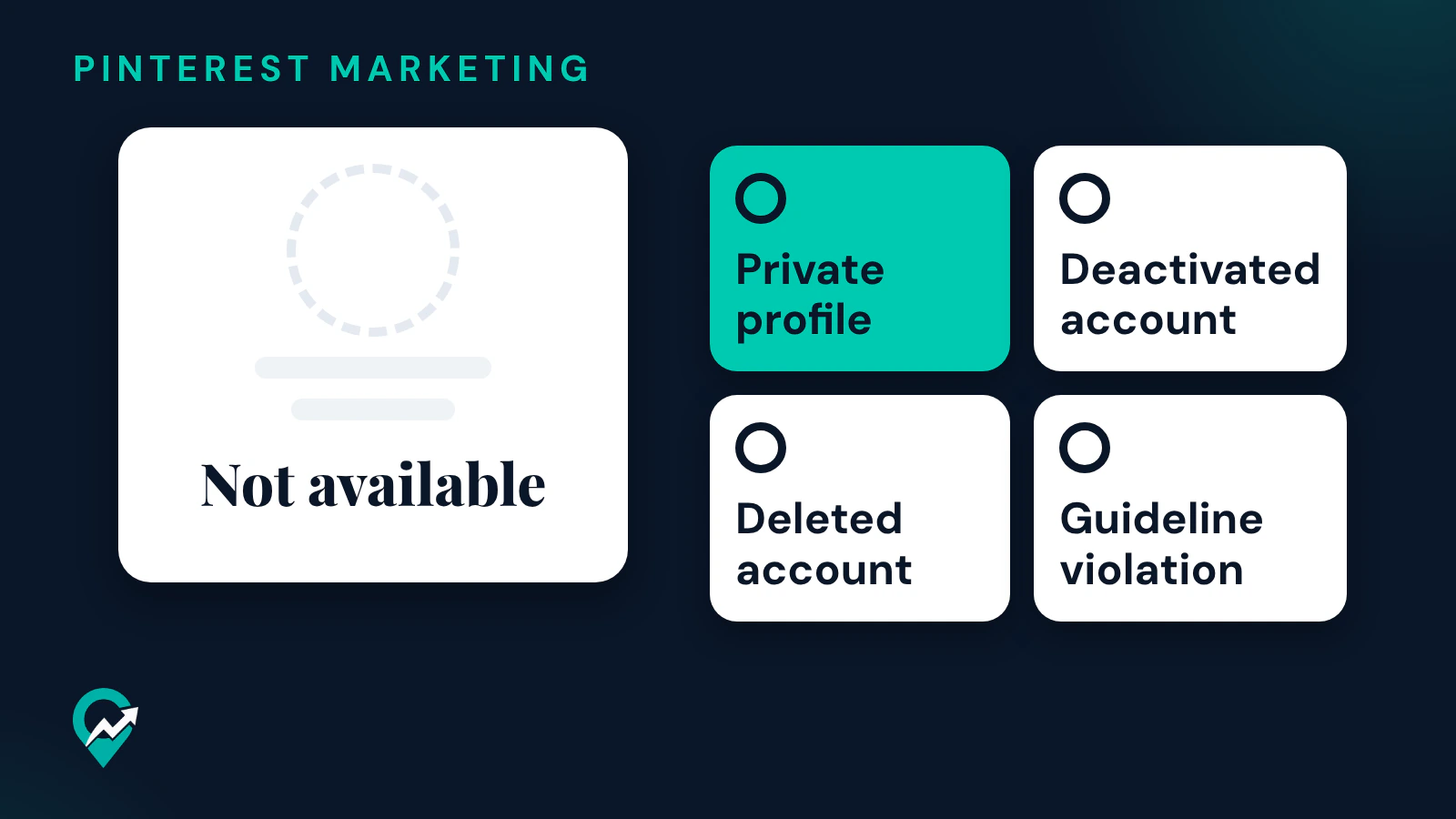
The message “this profile is not available” is what some people see when they open a Pinterest profile. The Pinterest help pages read on 14 November 2026 for this guide do not explain the message itself. They do describe the situations where a profile cannot be seen, and this guide goes through each one, for someone else’s profile and for your own. The rest of the profile setup for a blog is in our profile ideas for a blogger on Pinterest (opens in a new tab).
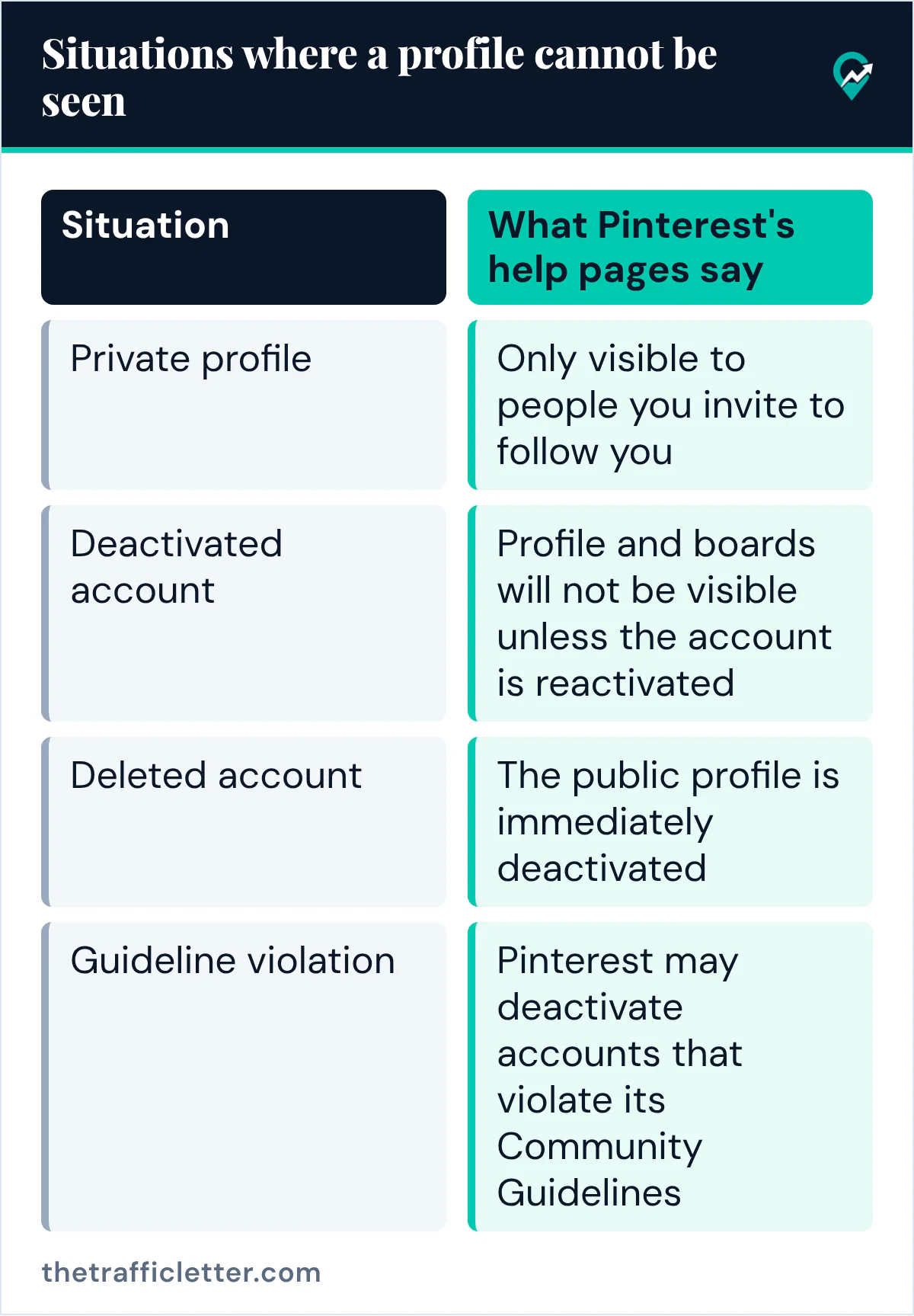
Situations where a Pinterest profile cannot be seen
| Situation | What Pinterest’s help pages say |
|---|---|
| Private profile | Only visible to people you invite to follow you |
| Deactivated account | Profile and boards will not be visible unless the account is reactivated |
| Deleted account | The public profile is immediately deactivated |
| Guideline violation | Pinterest may deactivate accounts that violate its Community Guidelines |
A private profile
Pinterest’s Edit your profile page says that if your profile is private, it will only be visible to people you invite to follow you. The Make your profile private or public page adds that private profiles won’t appear in search results on Pinterest or in search engines. Profiles for teens from 13 to 16 years old are private by default and cannot be made public, and you must be 16 or over to edit your profile visibility. Business profiles are always public, according to the same page. Our guide to making a Pinterest profile public (opens in a new tab) gives the steps to change the setting on your own profile.
To see a private profile, you need an invite from its owner. Pinterest’s Invite people to follow you page says the owner can share a unique profile link, and that each link expires after three days or after it’s used by five people.
A deactivated account
Pinterest’s Deactivate or close your account page says that deactivating lets someone take a pause from Pinterest and reactivate the account later, and that the profile and boards will not be visible unless the account is reactivated. The page also says that after deactivating, the email address and username remain tied to that account.
A deleted account
When an account is deleted, the same page says the public profile is immediately deactivated and the account and personal data are permanently deleted in 7 days. The owner can reactivate it before the 7 days are up (users in California need to contact Pinterest first).
An account Pinterest deactivated
Pinterest’s Account suspension page says it may deactivate accounts that violate its Community Guidelines, for single or repeat violations concerning Pinner safety, account security, spam and intellectual property. The owner sees a deactivation notice when trying to log in. Our guide to a suspended Pinterest account (opens in a new tab) covers the appeal.
When the profile you look for is someone else’s
The help pages read for this guide give no way to tell from the outside which situation applies, and they do not say that Pinterest shows the reason. Three checks help:
- Search for the person again in Pinterest search, in case you followed an old link. Our guide on how to search for someone on Pinterest (opens in a new tab) shows how.
- Ask the owner for a fresh link. Pinterest’s Edit your profile page says a profile’s web address is built from its username, so check that the link uses the owner’s current username.
- If the profile is private, ask the owner for an invite link.
When the profile that is not available is yours
Log in first. Pinterest’s Reactivate your account page says that in most cases all you need to do to reactivate your account is log in, and that you need access to the email on the account. Logging in also shows a deactivation notice if Pinterest deactivated the account.
Then check these points:
- Your profile visibility: in Settings, Pinterest’s page names the Profile visibility screen and the switch next to Private profile. A blog needs a public profile to be found in search.
- Your username: Pinterest says your username creates the web address of your profile, so the link you share has to use your current username.
- A second account: Pinterest’s Can’t log in page says that if your Pins or boards are missing, or things look different, you might have created a new account by mistake, which is especially common after getting a new phone. Log out and search for your original account.
- A closed account: Pinterest says you have 7 days from the close date to reactivate it, after which the account and data are deleted and can’t be recovered.
If Pinterest deactivated the account and you think it shouldn’t have, its Account suspension page says to get in touch with Pinterest. If you run several profiles, our guide to multiple Pinterest accounts (opens in a new tab) explains how Pinterest handles them.
Right after
- Make your profile public and worth a visit with our profile ideas for bloggers (opens in a new tab).
- Share the working link on your blog with our steps to share your Pinterest profile (opens in a new tab).
- If you closed the account on purpose, see what happens next in our guide on deleting a Pinterest account (opens in a new tab).